One spool manager for every printer you own
Whether you run one printer at home or a farm of two hundred, the filament manager keeps a live, accurate picture of what filament you have, where it is, what it cost, and how much is left. It works across every brand - Bambu Lab, Creality, Prusa, and anything else SimplyPrint supports - and ties into your print queue, statistics and slicer settings.
Filament tracking that runs itself
This is what sets SimplyPrint apart from a spreadsheet or a basic spool tracker: usage is deducted automatically. When you start a print through SimplyPrint, we analyze the G-code to work out exactly how much filament the job uses, convert that to grams from the spool's diameter and material density, and subtract it from the assigned spool when the print ends. Cancel or fail a print halfway and we deduct roughly half. You never touch a number.
It happens in the background for every connected printer, which is why people running real workloads stop using Excel the day they switch.
See automatic tracking in action
Watch a print run while the spool's remaining weight ticks down on its own - no scale, no typing.
Start a print through SimplyPrint and watch the assigned spool's weight drop on its own. We read the G-code, work out the grams, and deduct them. No scale, no spreadsheet, no typing.
 Printing now
 - benchy.gcode -12 g 2 hours ago
- cable-clips-x8.3mf -31 g yesterday
Every spool, organized your way
Each spool is its own record with color, brand, material, diameter, cost, purchase date and remaining weight. View your inventory however your brain works, and store spools in nested locations with capacity limits.
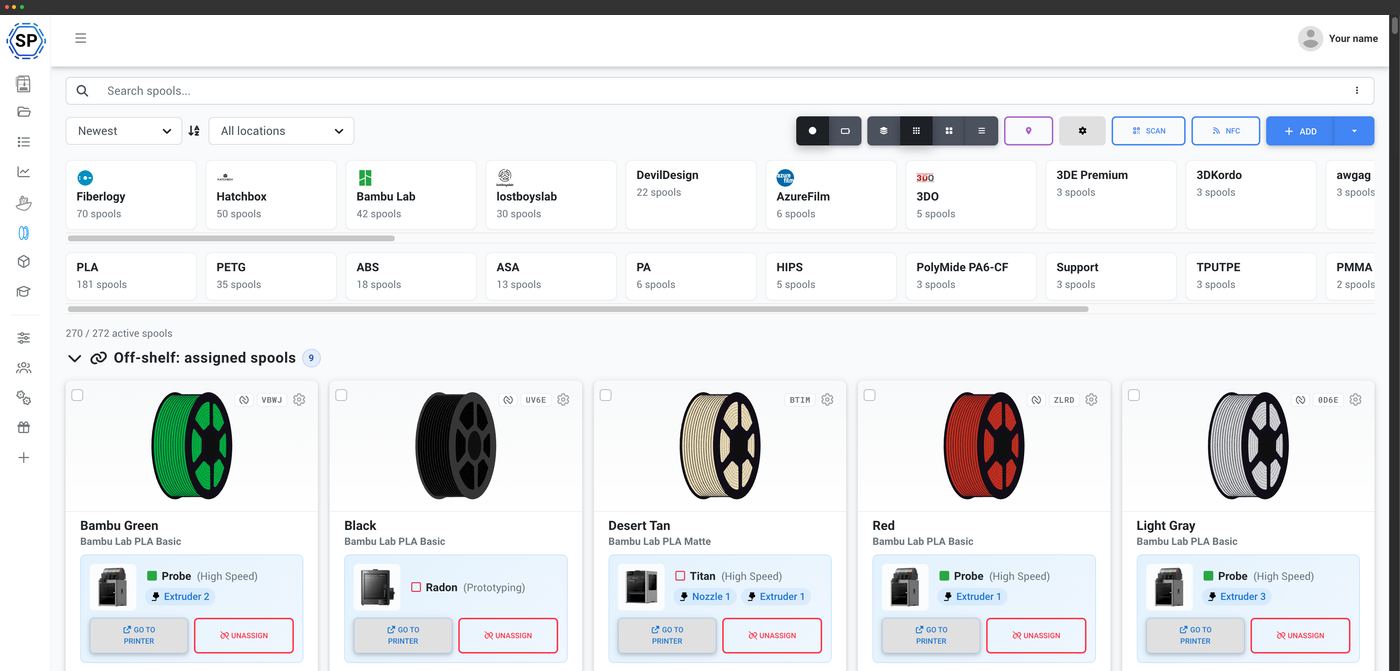
Visual cards with color swatches and remaining weight at a glance.
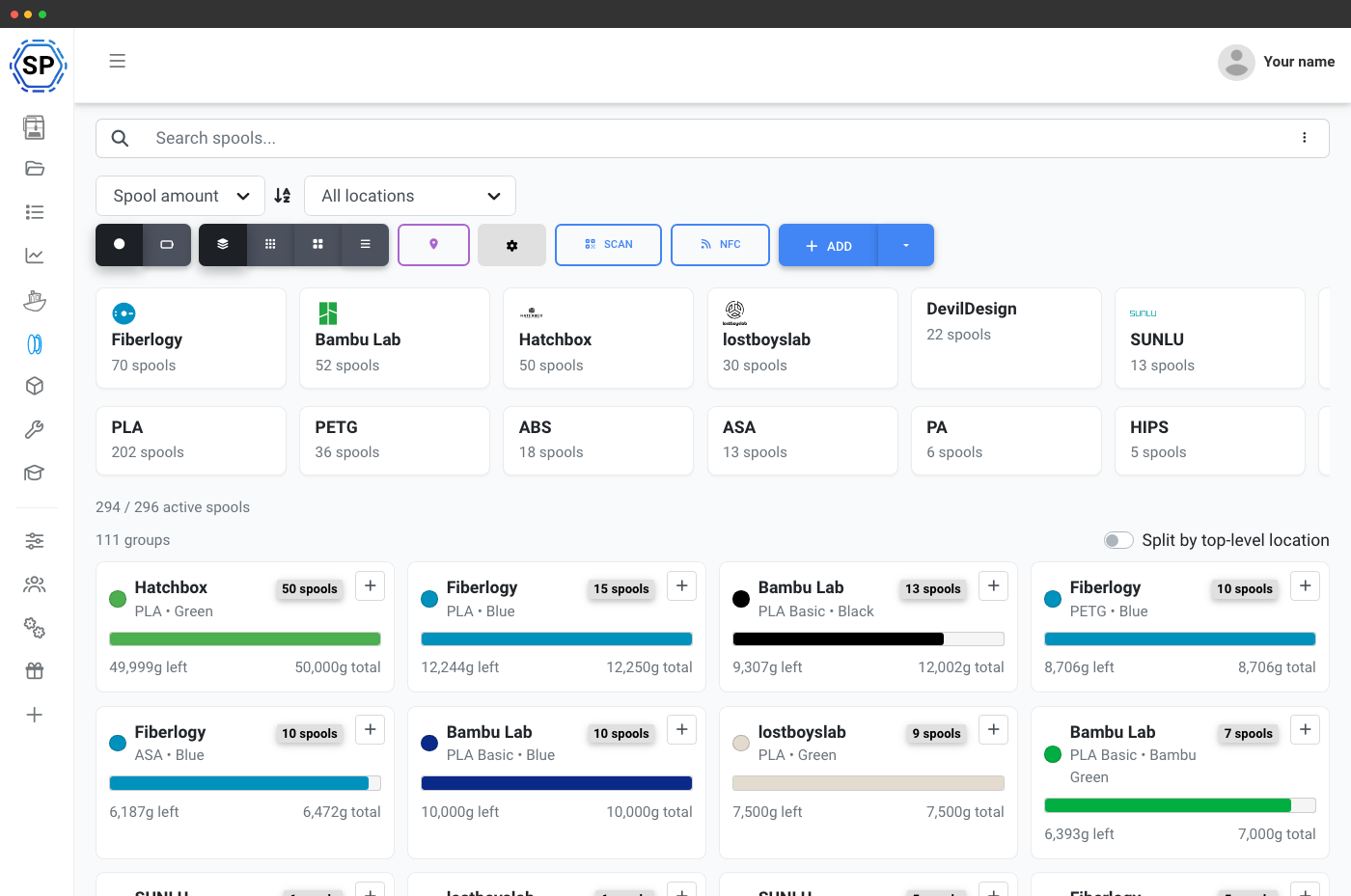
Roll up spools by brand and material so duplicates sit together.
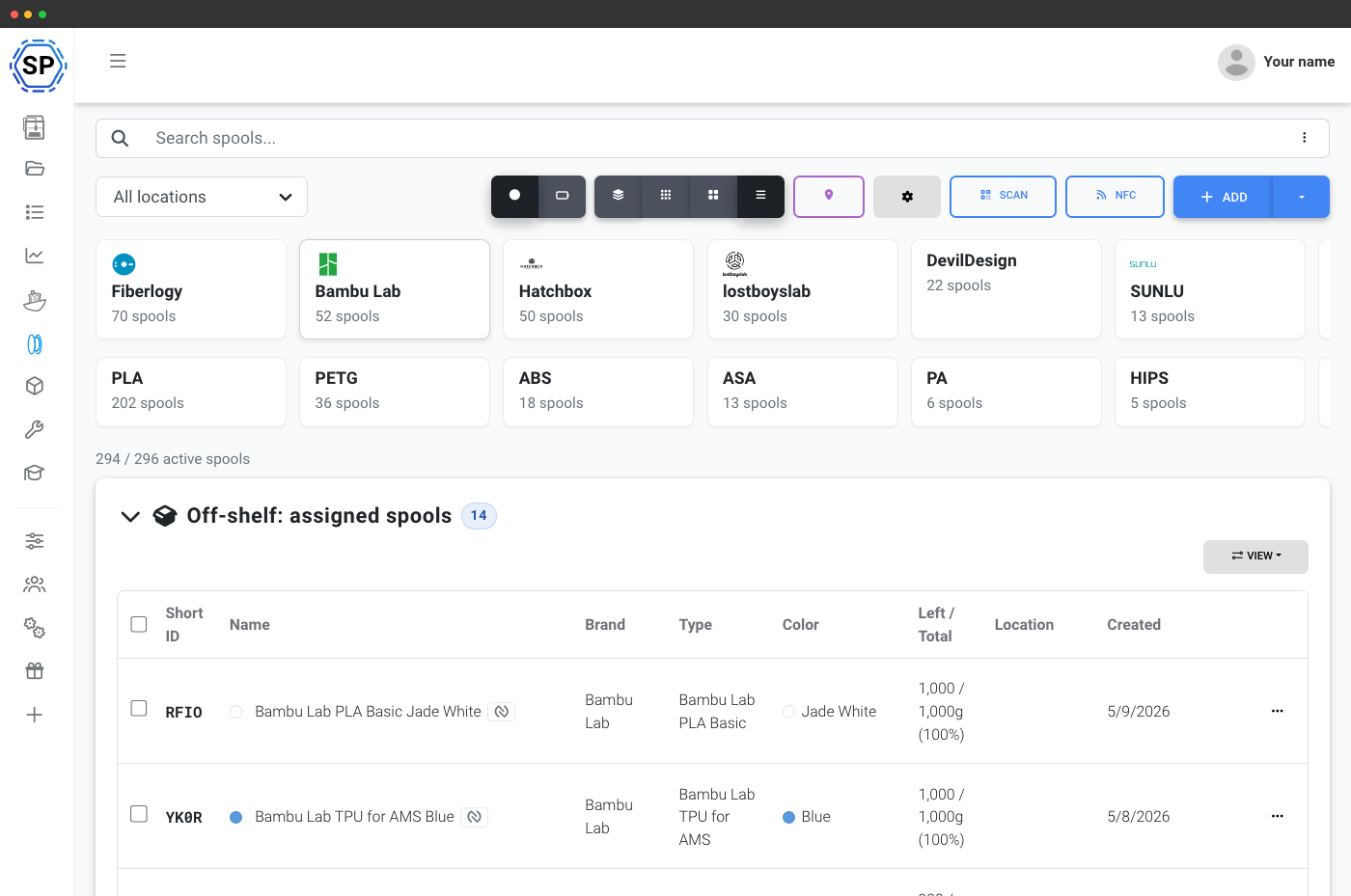
Every field in sortable columns for scanning a large inventory.
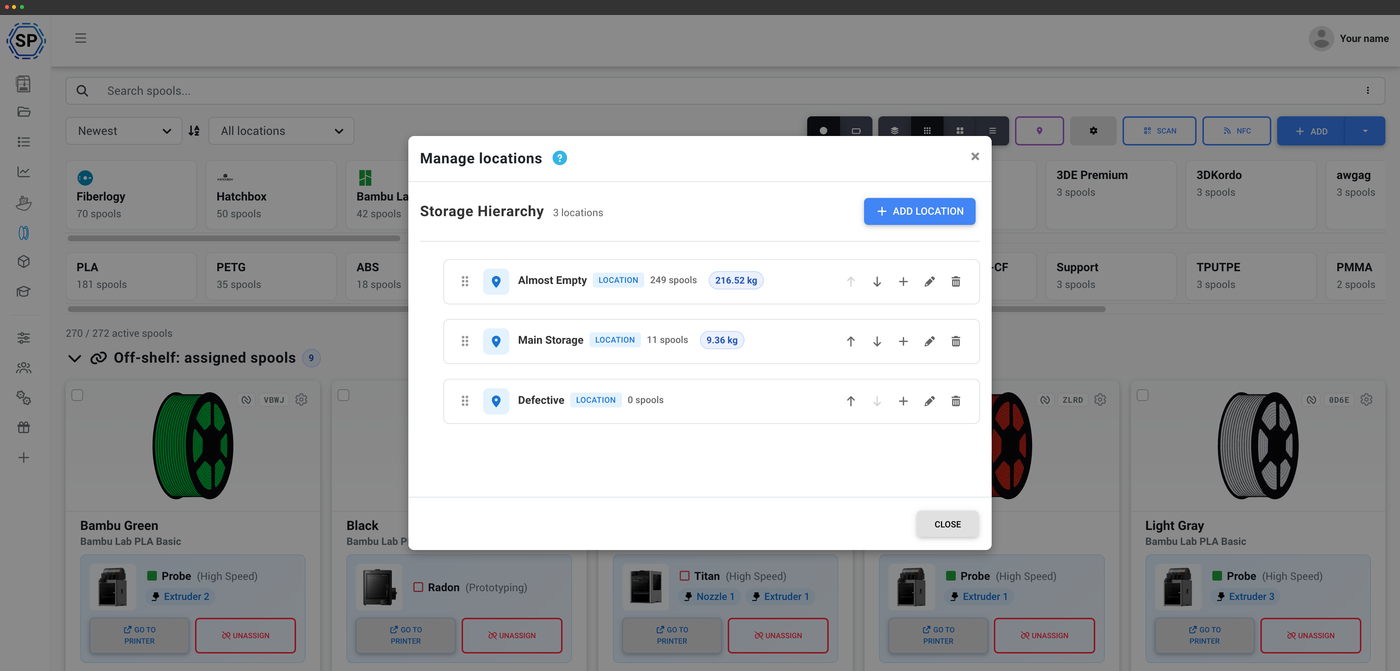
Nested rooms, shelves and drawers with per-location spool counts.
NFC tags your printer recognizes
Tap to read, tap to write, across every standard
Encode a spool's data onto an NFC tag and your printer knows what's loaded the moment it's inserted. SimplyPrint reads and writes the major open standards side by side - Creality CFS, Prusa OpenPrintTag, OpenSpool and OpenTag - and reads Bambu Lab AMS tags, from your phone, your browser or a desktop USB reader. No lock-in to one brand's ecosystem.
Explore NFC filament tracking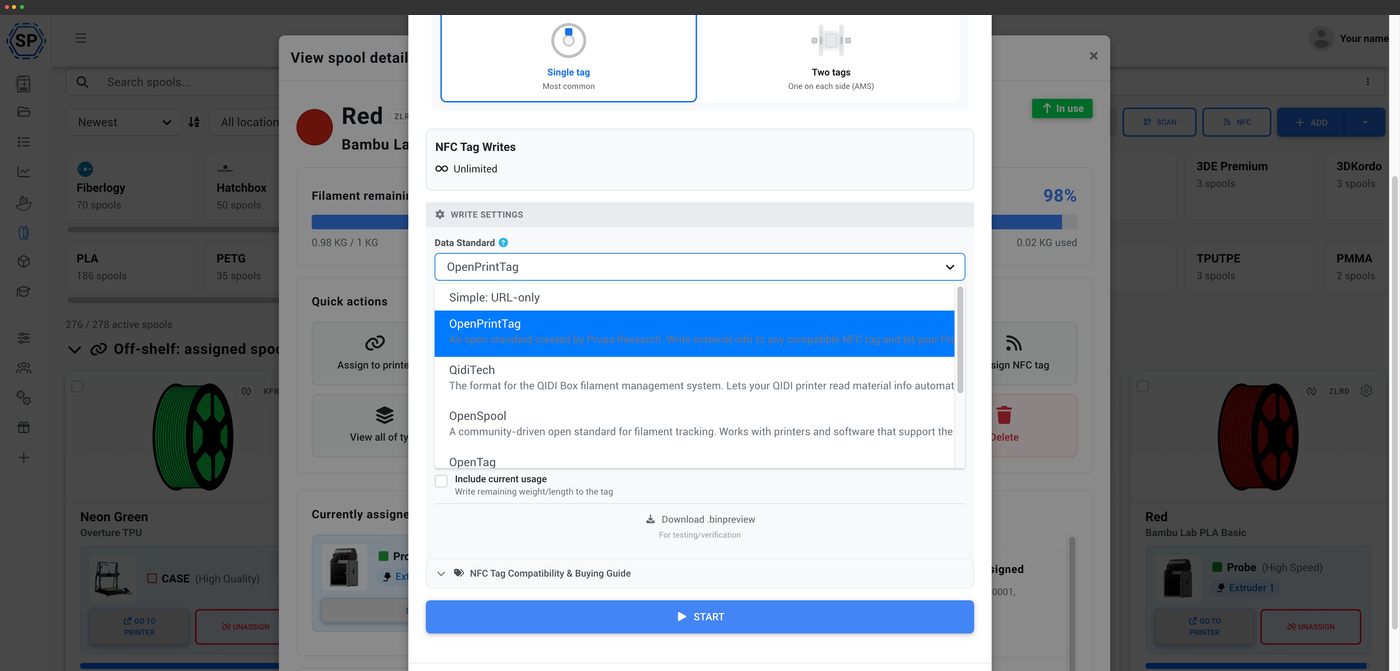
Tap a spool, read it instantly
Hold a tagged spool to your phone or reader and its details load in about a second.
One filament tracker, every NFC standard
Pick your printer's ecosystem - or mix and match. Every standard reads and writes from the same filament manager.
Print labels, scan spools
QR codes and barcodes for instant lookup
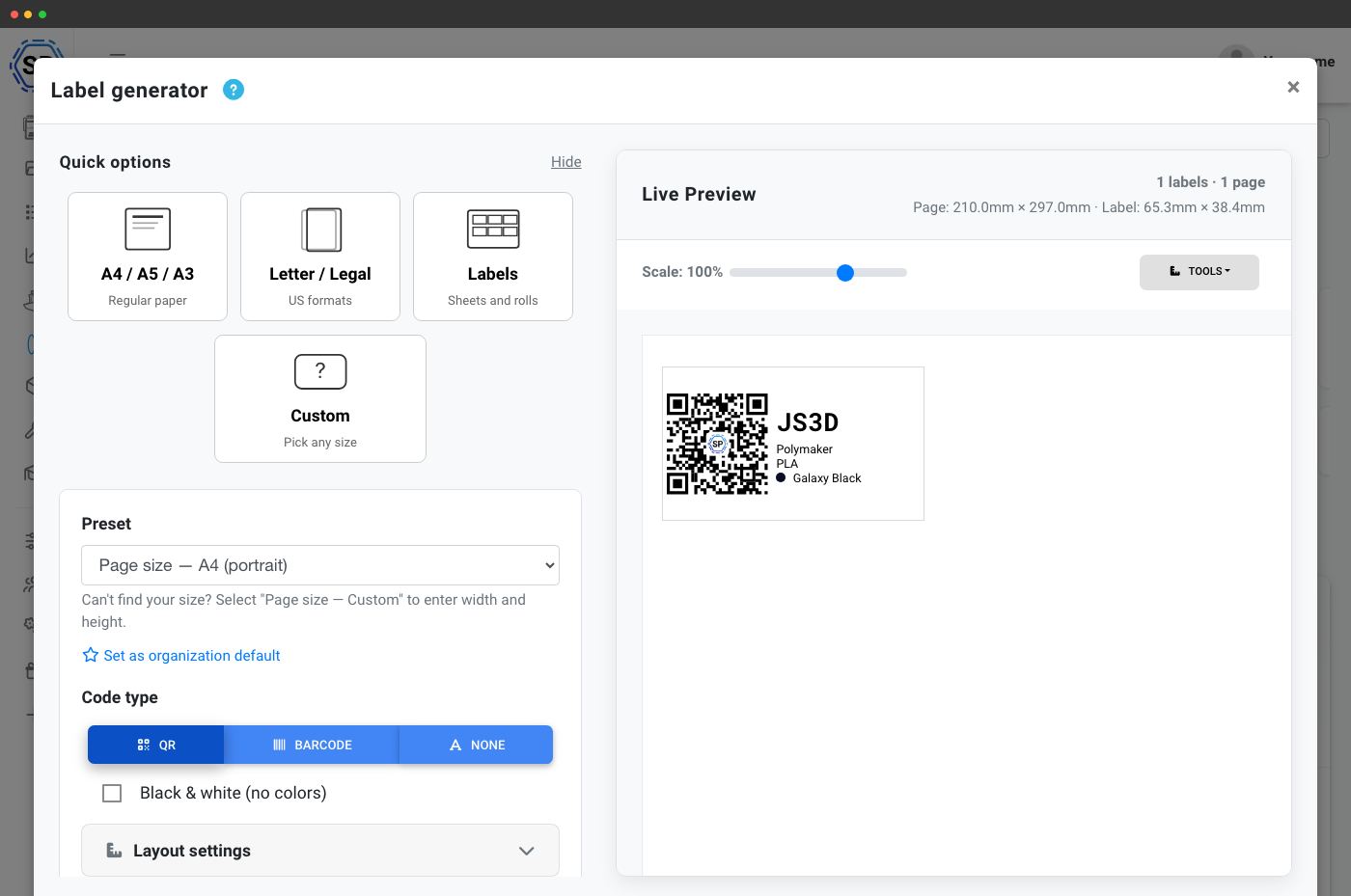
Generate QR-code or barcode labels for every spool and print them on a regular printer or a thermal label printer like a Dymo or Zebra. Scan a label with your phone camera, a webcam or a USB barcode scanner to pull a spool up instantly - perfect for grabbing the right spool off the shelf or checking remaining weight in seconds.
Label generator & scanningScan a label, find the spool
Print a QR code or barcode for every spool, then scan it with your phone camera, a webcam, or a USB barcode scanner to pull up that filament in your inventory.
- Color
- Galaxy Black
- Location
- Shelf B · Bin 12
- Spool ID
- RX-7K2
Powered by the Open Filament Database
138 brands, 1,978 filaments, 14,219 variants - and growing
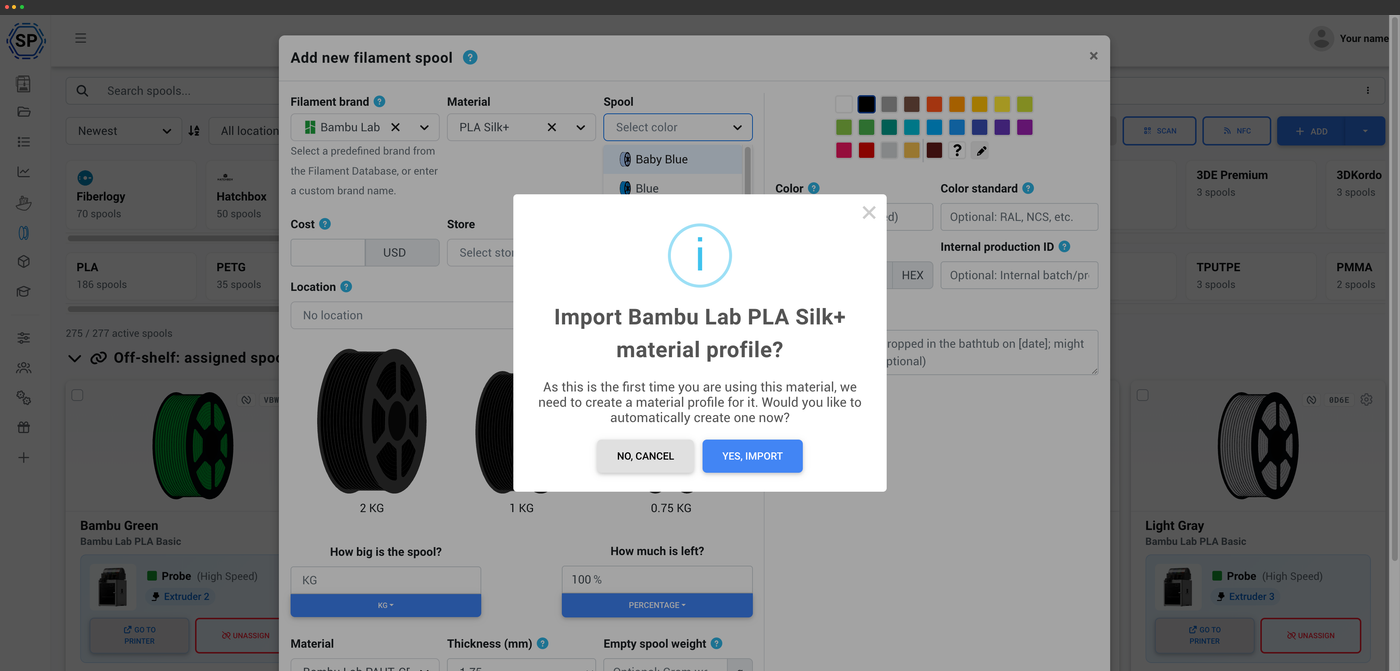
When you add a spool, you're searching the Open Filament Database: an open-source, community-maintained catalog of filament that SimplyPrint stewards. Pick your brand and material and the temperatures, density and spool weights are filled in for you - the same data that links your spools to their slicing profiles. It's free, MIT-licensed, and anyone can contribute in minutes with no coding required.
About the Open Filament DatabaseManage filament from your phone
iOS and Android, with NFC and scanning
The SimplyPrint app puts your whole inventory in your pocket. Read and write NFC tags, scan QR codes and barcodes, adjust weights, and move spools between locations - right where you store your filament. Android handles every NFC standard; iOS covers the open NDEF standards.
Filament on the mobile app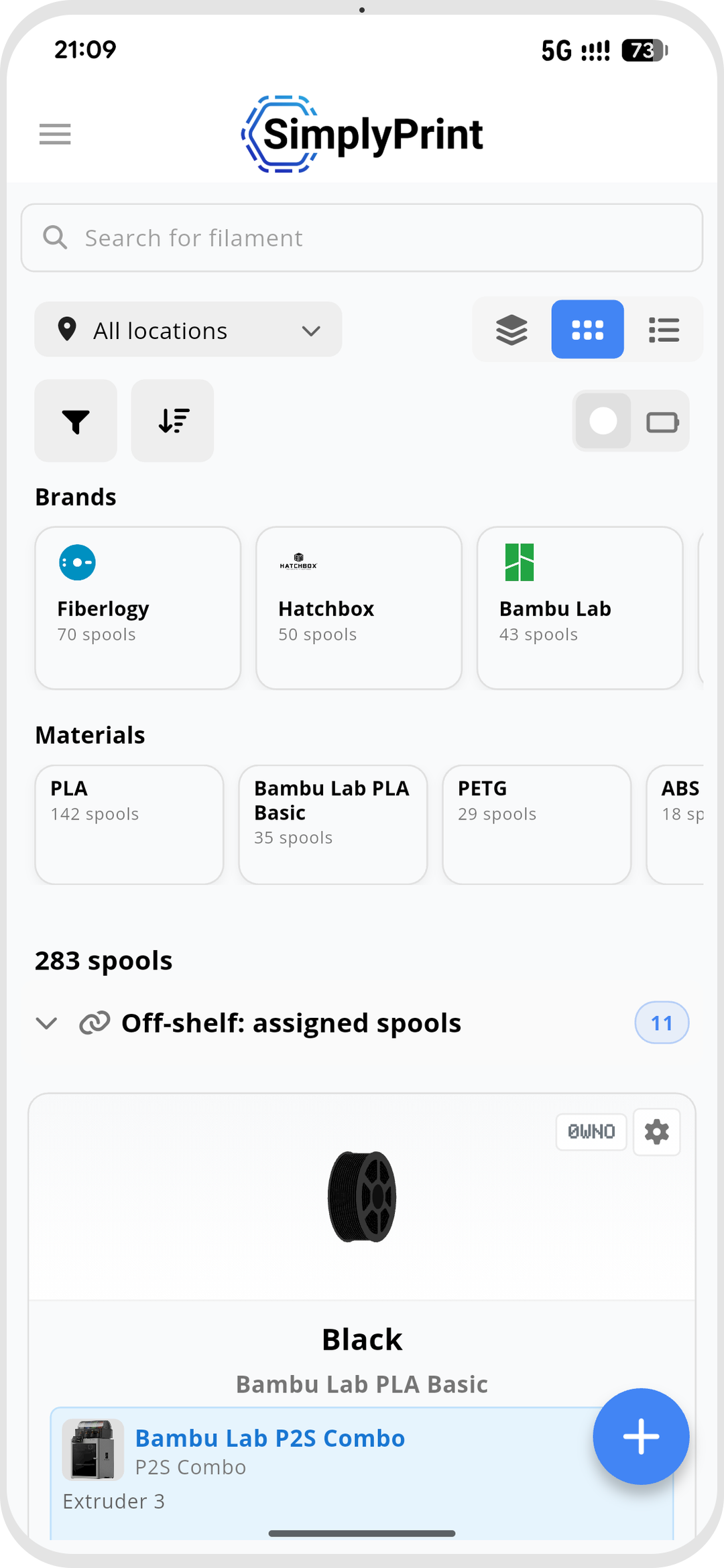
Free to install, included with every SimplyPrint plan.


Works on iPhone, iPad and Android phones & tablets.
Explore everything in the filament manager
Each part of the filament manager has its own deep dive.
Automatic tracking
Filament usage deducted automatically, no scales
NFC filament tags
Read and write NFC tags across every standard
Labels & scanning
Print QR & barcode labels, scan to look up a spool
Mobile app
Manage filament, NFC and scanning from your phone
Plan access: what's included?
The filament manager itself is included on every SimplyPrint plan, all the way down to Free - automatic usage tracking, spool records and the Open Filament Database are always free. Higher plans unlock the richer views, scanning, label printing, locations and a bigger monthly NFC-write allowance.
| Feature / Limit | Free | Basic | Pro | Print Farm | Enterprise | School | Cloud Slicer | Filament Manager |
|---|---|---|---|---|---|---|---|---|
|
Filament manager
Spool records and automatic usage deduction, on every plan including Free.
|
||||||||
|
NFC tag writes per month
How many NFC tags you can write to spools each month.
|
10 | 30 | 100 | 10 | ||||
|
Barcode & QR scanning
Scan labels with a phone, webcam or USB barcode scanner to pull up a spool.
|
||||||||
|
Label generator: QR customization
Customize the QR-code labels you generate for your spools.
|
||||||||
|
Label generator: thermal printer support
Print directly to thermal label printers like Dymo and Zebra.
|
||||||||
|
Compact view
A denser spool list for larger inventories.
|
||||||||
|
Table view
A full table view of every spool and its fields.
|
||||||||
|
Grouped view
Group spools by brand and color with combined remaining weight.
|
||||||||
|
Adjust spool weight
Manually correct a spool's remaining weight at any time.
|
||||||||
|
Mark filament as dried
Track when each spool was last dried.
|
||||||||
|
Quick add
One-click add from your most-used brand and material presets.
|
||||||||
|
Advanced search & filtering
Filter your inventory by brand, material, color, location and more.
|
||||||||
|
Storage locations
Nested locations (room, shelf, drawer) with capacity limits.
|
||||||||
|
Custom fields
Add your own fields to every spool record.
|
Want to learn more about our plans?
View full pricing & feature comparison