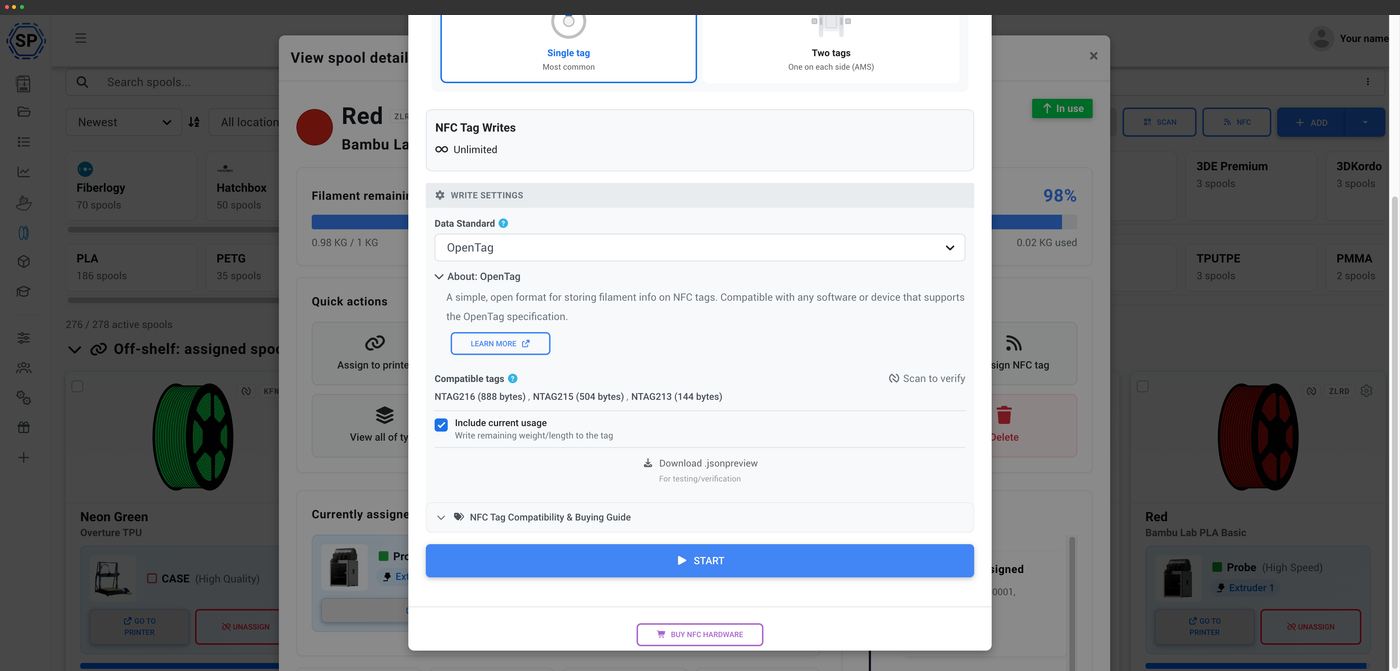
One open format, across brands
OpenTag's goal is a tag that any vendor can adopt and any tool can read. SimplyPrint backs that with full read and write support right now - so OpenTag-tagged spools live in the same automatically-tracked inventory as your Bambu, Creality and Prusa rolls. OpenTag is still a young standard - the spec is finalizing and printer-side adoption is early - but you can read and write it in SimplyPrint today.
What OpenTag is
OpenTag is an open, cross-brand format for filament NFC tags - designed so a single tag standard can be shared across vendors instead of every brand inventing its own. The aim is one common format the whole ecosystem can read and write, rather than a patchwork of incompatible proprietary tags.
How to use OpenTag with SimplyPrint
Three steps to a cross-brand tag your tools can read.
Create an OpenTag for any spool
Because OpenTag is a cross-brand open format, you can write one to any spool you own and have it understood across the ecosystem rather than locked to a single printer. Write it once in SimplyPrint and the spool carries its own identity wherever it goes.
Supported in SimplyPrint today
OpenTag is supported in SimplyPrint right now - you can read and write it today, not at some future date. It sits alongside Bambu Lab, Creality CFS, OpenPrintTag and OpenSpool as a fully supported standard in the same filament manager.
Why a cross-brand open standard matters
When every brand uses its own tag format, a spool tagged for one printer is meaningless to another. A cross-brand open standard like OpenTag fixes that: tag a spool once and it can be understood across the ecosystem. SimplyPrint supporting it means your inventory isn't fragmented by which printer happens to be loaded.
Compare every NFC standardRead and write OpenTag
SimplyPrint both reads and writes OpenTag, so you can pull up a tagged spool instantly or encode your own. Use the SimplyPrint mobile app or the desktop NFC Agent with a USB reader, and the data lands in the same inventory as every other standard you run.
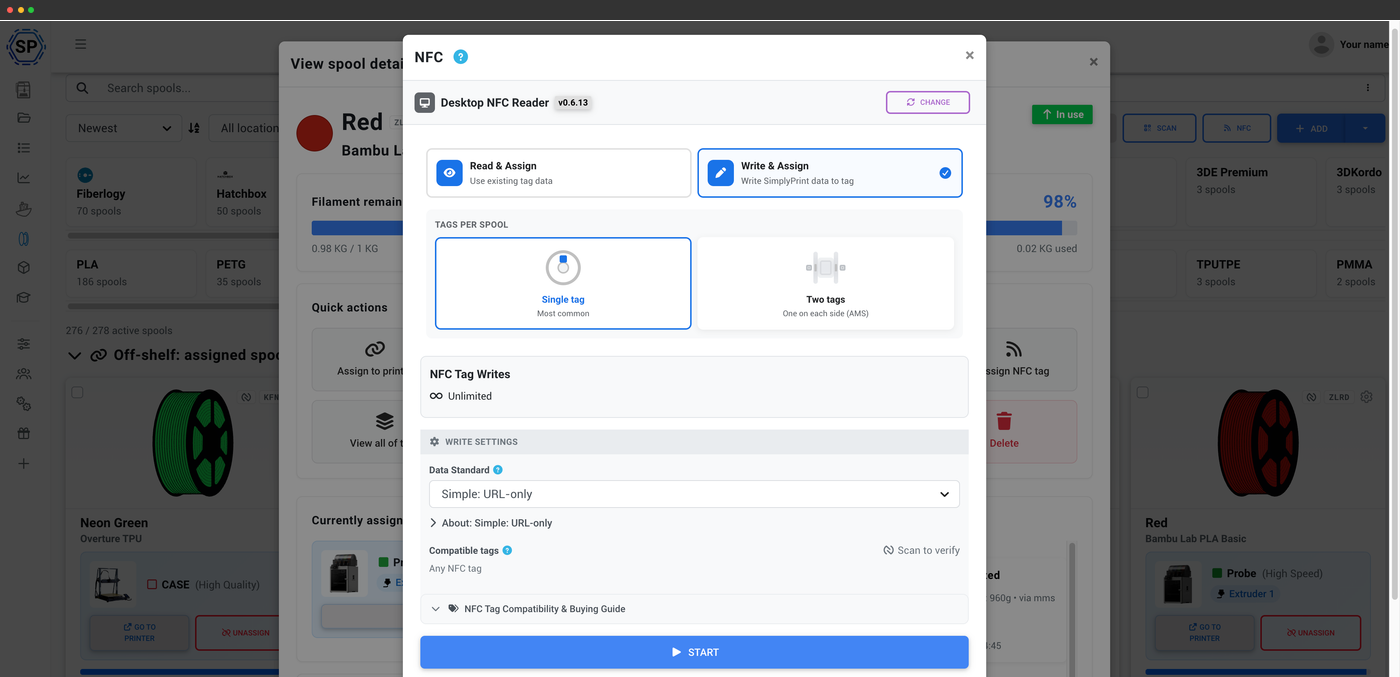
Write and assign in one step
Encode the tag and link it to the spool together
Writing an OpenTag in SimplyPrint also assigns it to the spool record, so the encoded tag and your inventory entry stay linked from the start. Choose the data standard, write the tag, and the spool is identified the next time it's read - no separate assignment step.
Usage tracked automatically
Once an OpenTag spool is identified, SimplyPrint deducts filament usage automatically from the G-code of every print you start - so the remaining weight on the record stays accurate without a scale. The open tag handles identity; automatic tracking handles the maths.
How automatic tracking worksPlan access: what's included?
Reading OpenTag and the filament manager are on every plan. Writing tags uses your monthly NFC-write allowance.
| Feature / Limit | Free | Basic | Pro | Print Farm | Enterprise | School | Cloud Slicer | Filament Manager |
|---|---|---|---|---|---|---|---|---|
|
Filament manager
Spool records and automatic usage deduction, on every plan including Free.
|
||||||||
|
NFC tag writes per month
How many NFC tags you can write to spools each month.
|
10 | 30 | 100 | 10 |
Want to learn more about our plans?
View full pricing & feature comparison