
Den mest undervurderede funktion i printfarmdrift
Tal med enhver, der driver en rigtig printfarm, og de vil fortælle dig: Udnyttelsen begrænses ikke af dine printere, men af din opmærksomhed. Jo hurtigere du ved, at et print er færdigt, jo hurtigere starter det næste. SimplyPrint gør hver printhændelse til en pushnotifikation, så du kan klikke på notifikationen, se "5 printere klar til næste job" og rydde køen på 30 sekunder i stedet for 30 minutter.

E-mailalarmer til hvem som helst, dig selv, dit team, din kunde
Angiv én eller flere mailadresser pr. hændelse: din egen, en kollegas eller kundens. Det er praktisk, hvis du tilbyder print-on-demand, og kunden vil have mailen "din del er klar", så snart den kommer af printpladen, uden manuelle opdateringer.
SMS til din telefon om de begivenheder, der virkelig betyder noget
Vælg SMS som din foretrukne kanal, så sender SimplyPrint en sms om de hændelser, du har tilvalgt: færdig, mislykket, sat på pause eller løbet tør for filament. Nyttigt som backup, når du er væk fra computeren og ikke har mobilappen installeret, eller som en højt prioriteret alarmkanal til produktionskritiske print.

Discord, Slack og Microsoft Teams via webhooks
Send print-hændelser direkte til dit teams Discord-kanal, Slack-workspace eller Microsoft Teams-kanal med indbygget beskedformatering, miniaturebilleder, statusfarver, det hele. Perfekt til delte makerspaces, klasseværelser og printfarme, hvor alle skal have samme overblik.
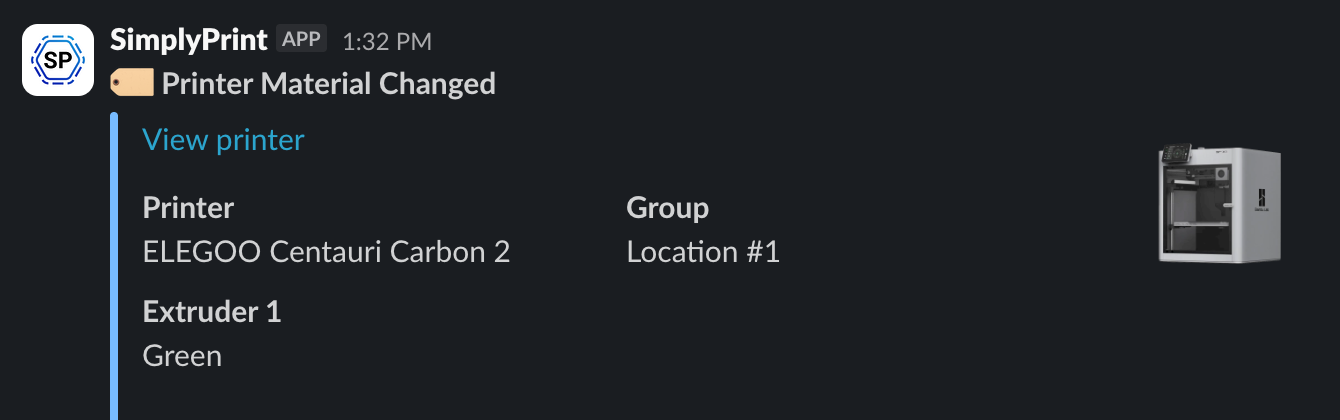
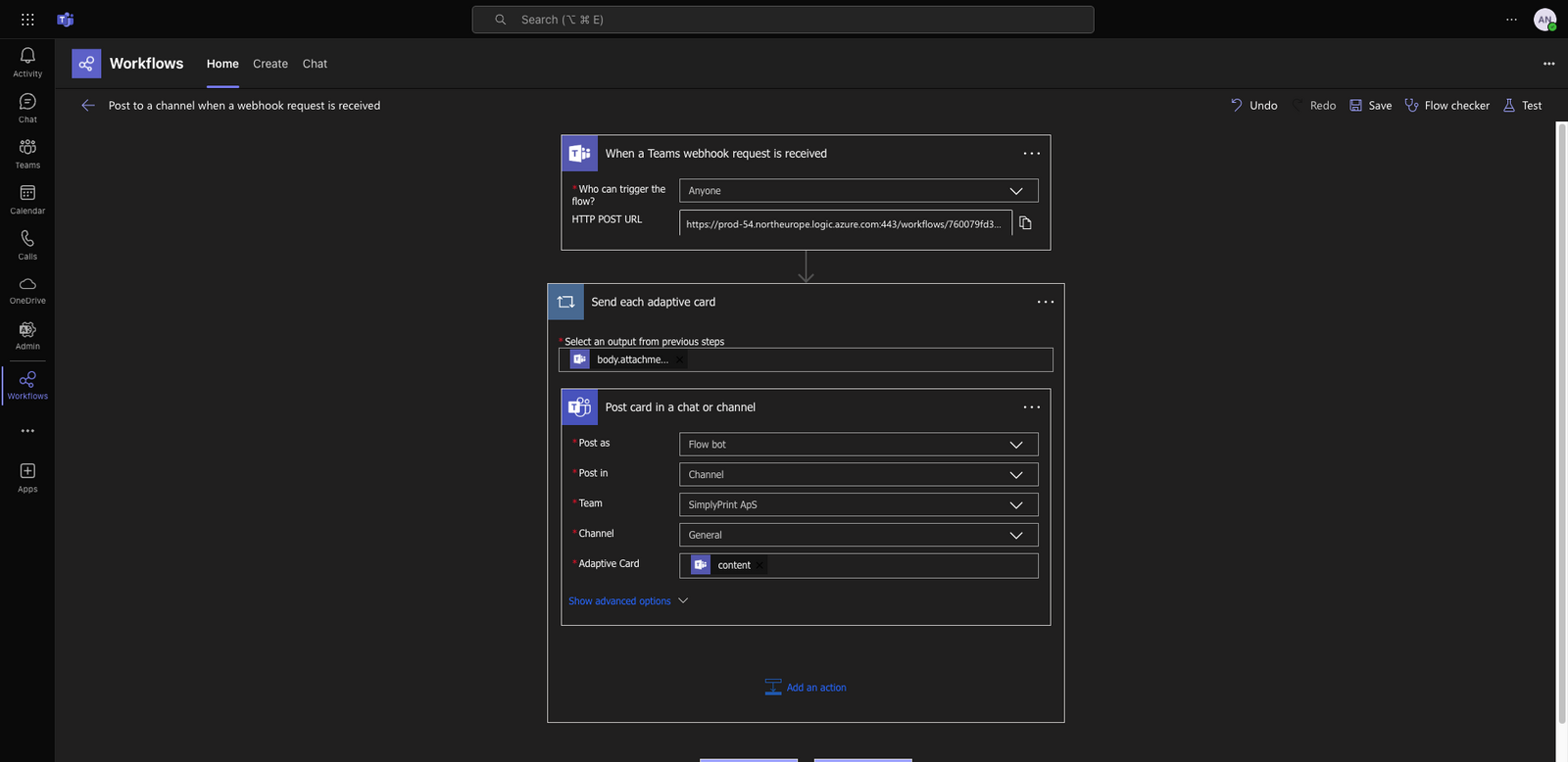
Discord vises som et detaljeret kort med et miniaturebillede af printeren og statusfarve, Slack som en enkel beskedvedhæftning og Teams som et adaptivt kort. Hver kanal får det format, den er bedst til.
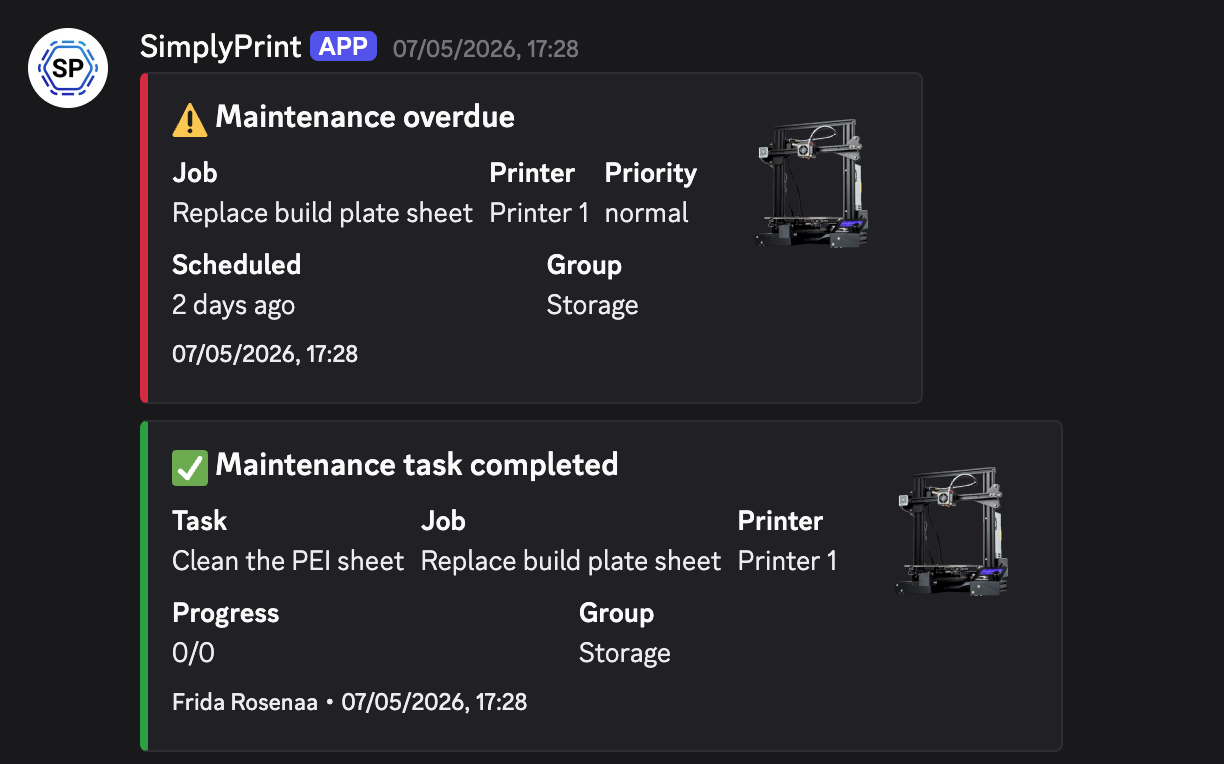
Discord-kort
Printminiature, statusfarve, link til printer.
Slack-besked
Vedhæftning med statusfarve, felter og printerlink.
Microsoft Teams-kort
Adaptivt kort med status, handlingsknapper, deep link.
Filtrer notifikationer efter printer, gruppe eller brugerdefineret tag
Printfarme med flere teams kan sende en printers notifikationer til teamets Slack-kanal uden at spamme hele organisationen. Vælg én printer, en printergruppe eller et brugerdefineret tag, og peg derefter filteret mod den kanal, der skal modtage dem. Udviklingsprinterne pinger #engineering, prototypeprinterne pinger #prototyping, marketingprinteren til rekvisitter pinger #marketing. Samme SimplyPrint, tre stille Slack-kanaler.
Push-notifikationer på iPhone og Android i samme sekund, som et print er færdigt
Installér SimplyPrint-mobilappen, og hver printhændelse bliver en push-notifikation på din telefon. Klik på en hændelse for at se præcis, hvordan notifikationen ser ud. Hent SimplyPrint-appen →

SimplyPrint ⚫ Nu
Print færdigt på printer 1
Tog 2h 32m, klar til at rydde printpladen og sætte den næste i kø.

SimplyPrint ⚫ Nu
Print mislykkedes på printer 2
Printeren rapporterede en fejl ved lag 412. Tryk for at inspicere.
SimplyPrint ⚫ Nu
Print sat på pause på printer 3
Filamentet er sluppet op. Isæt en ny spole for at fortsætte.
SimplyPrint ⚫ Nu
Print startet på Printer 1
Estimeret printtid er 3d 4h.
SimplyPrint ⚫ Nu
Godkendelse påkrævet: chess_piece.gcode
Indsendt af Sarah, godkend eller send tilbage til rettelse.
SimplyPrint ⚫ Nu
Fejl registreret på printer 2!
Vil du sætte på pause eller annullere?

Print færdigt
Jobbet kom rent af printpladen. Tid til at rydde den og sætte det næste i kø.
Print fejlede
Printerrapporteret fejl eller fejl registreret af AI: Tjek printeren.
Print pauset
Filamentudløb, M0/M601-stop, brugerpause, se hvem der satte printet på pause og hvorfor.
Print startet
Valgfrit. Nyttigt til planlagte natteprint (bekræfter, at den forskudte start faktisk skete) og til QA-teams, der skal vide præcis, hvornår et fakturerbart print begyndte.
Printkøgodkendelse påkrævet
En elev eller operatør indsendte et job, der skal gennemgås, før det printer.
AI har registreret en printfejl
AI'en har markeret spaghetti, lagforskydning eller løsrivelse: bekræft eller afvis.
Kontrol pr. event, pr. kanal, ingen notifikationsoverload
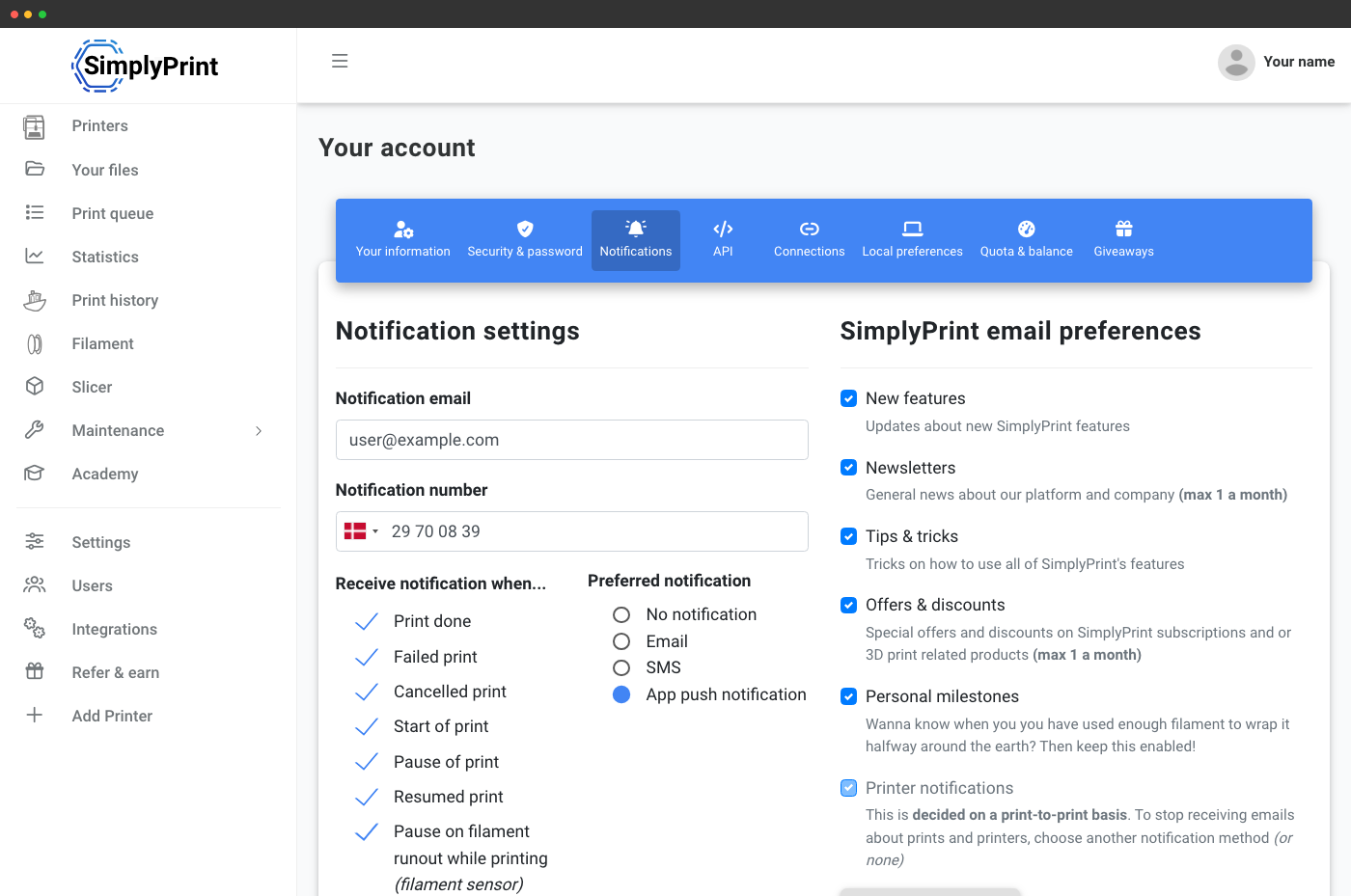
Vælg præcis hvilke hændelser der går hvorhen. Push til telefonen ved færdigt print og AI-registreret printfejl, kun e-mail ved køgodkendelse, Discord for alt. Slå dem fra, der ikke betyder noget for dig, uden at det påvirker resten af dit team. Indstillingen ligger under din brugerprofil, så hvert teammedlem får sin egen præference.
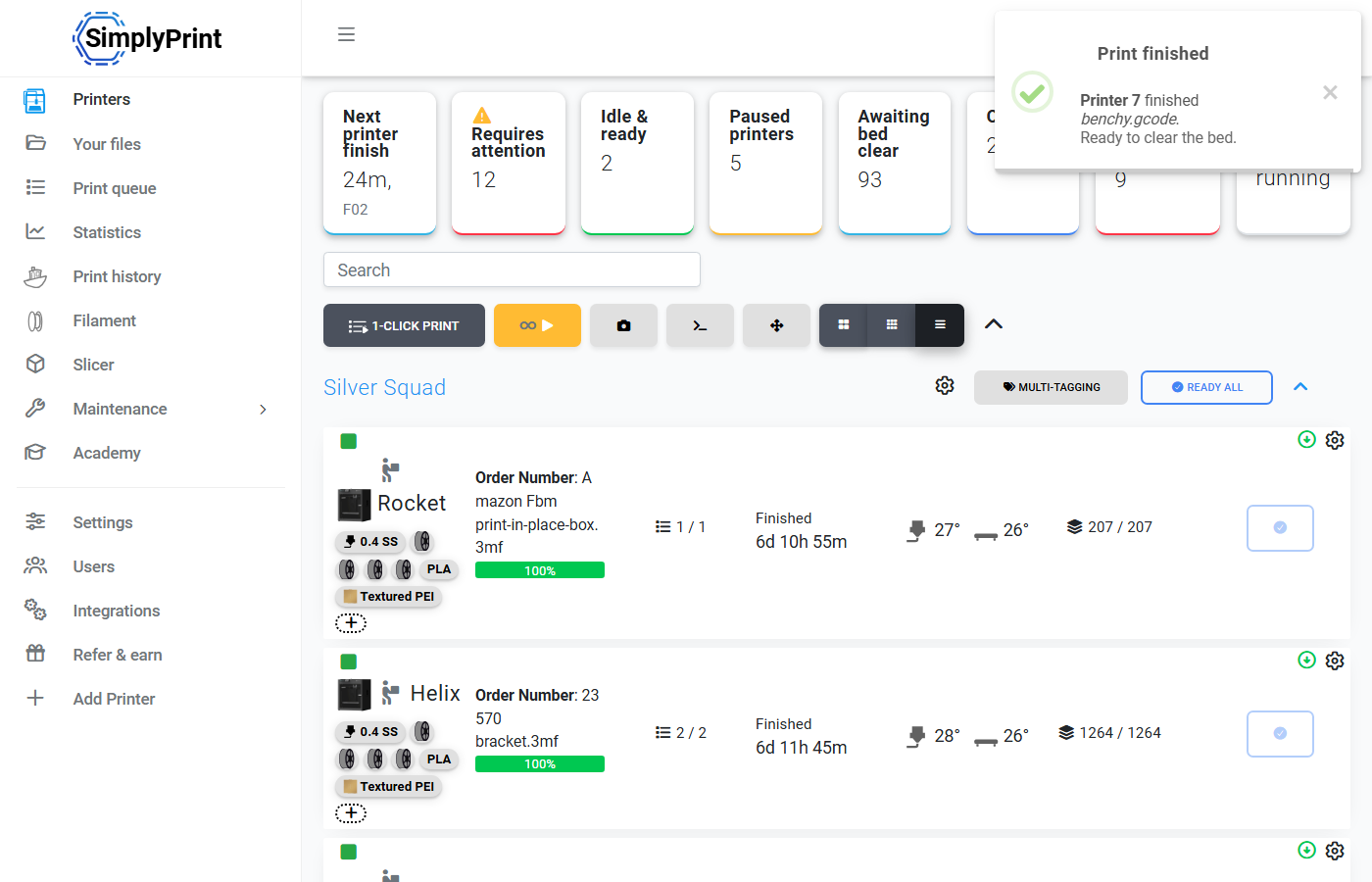
Sådan omsætter printfarme notifikationer til udnyttelse døgnet rundt
Notifikation modtages → du klikker på den → du lander på printeren → køinspektøren viser det næste kompatible job → ét klik, og du printer igen. Gang det med hver printer i en printfarm, så er forskellen mellem "notifikationer til" og "notifikationer fra" dage med ubrugt maskintid pr. måned. Kombinér notifikationer med smart routing, så vælger køen næste job for dig, du skal bare rydde printpladen.
Se hvordan smart routing vælger næste job