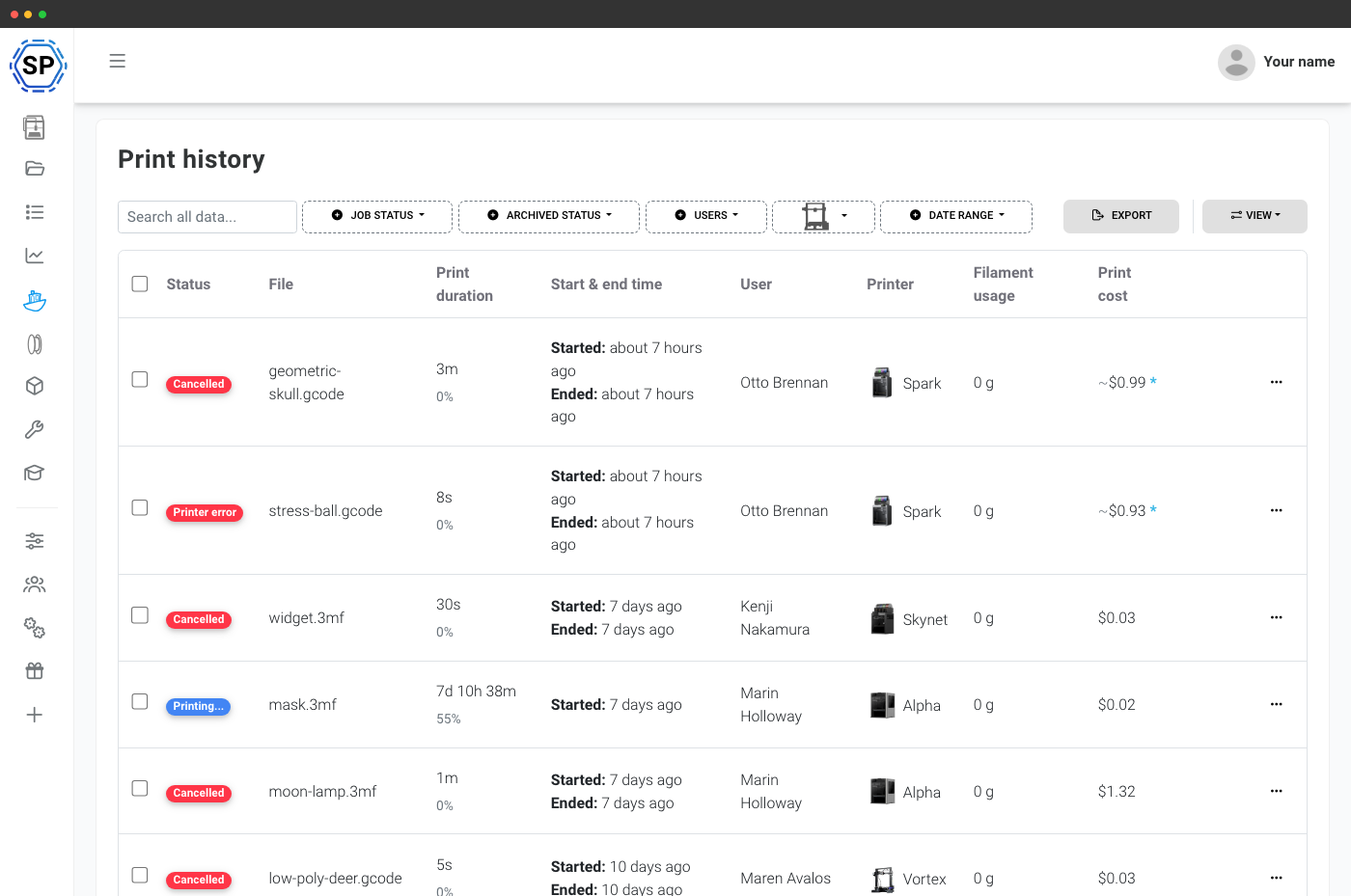
En indbygget printlog uden ekstra arbejde
Du behøver ikke huske at logge noget. Hvert print på hver tilsluttet printer registreres automatisk, forbliver knyttet til printeren og brugeren, der startede det, og er tilgængeligt fra enhver browser. Ingen regneark, ingen whiteboards, ingen "hvem printede det i sidste uge?"
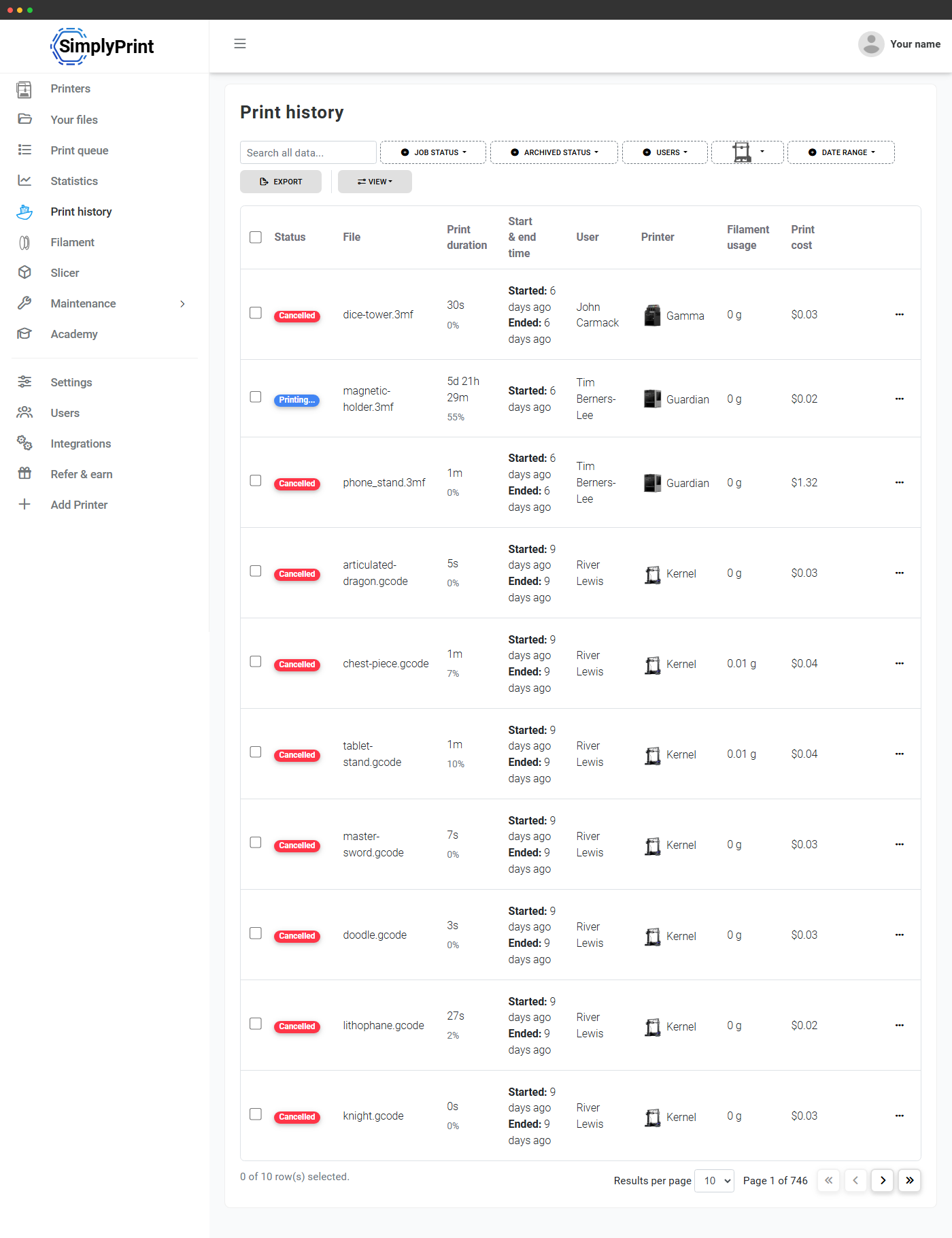
Én søgbar tabel med hvert print på hver printer
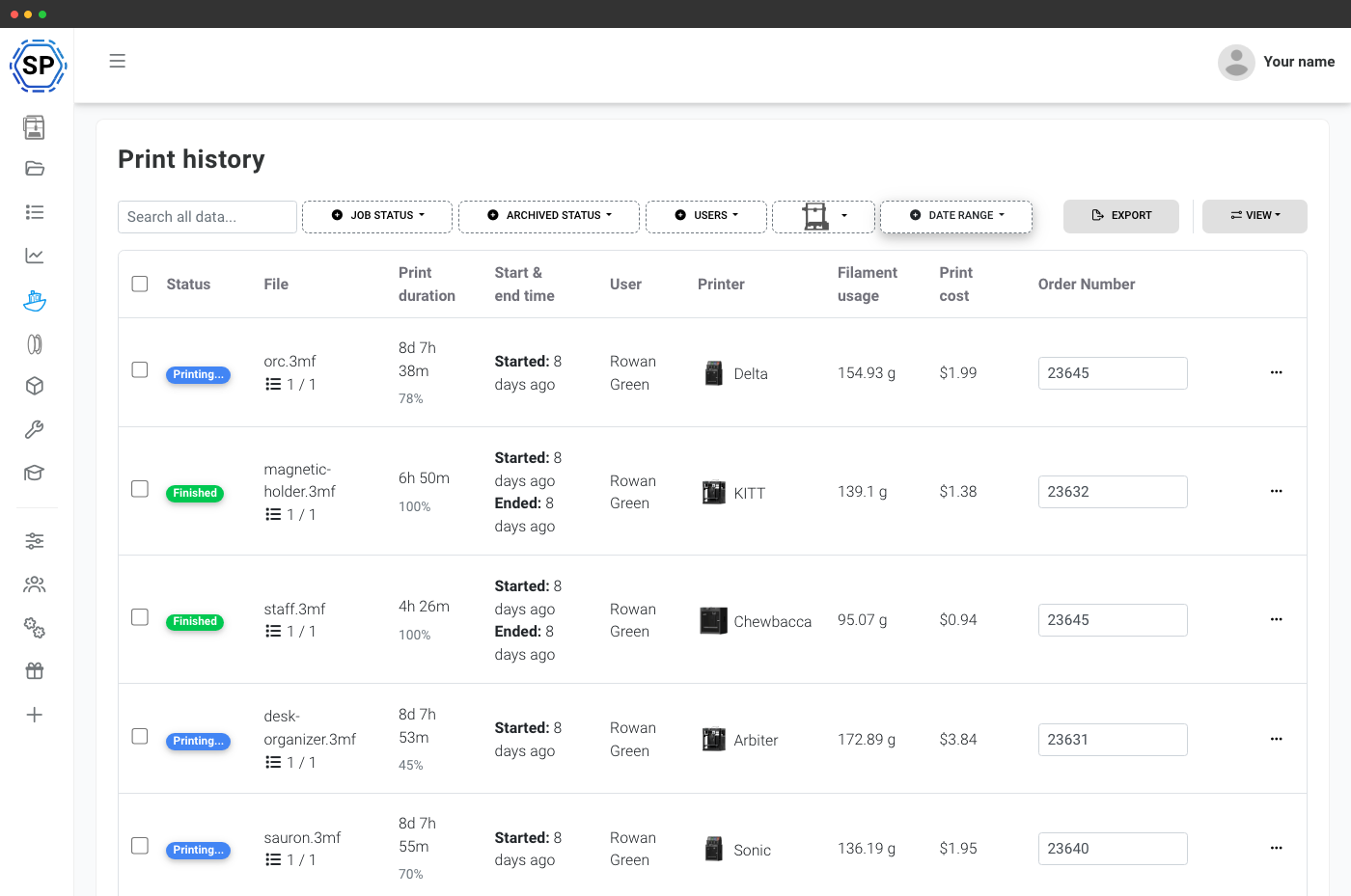
Printjobsiden viser alle job på tværs af din konto med status, filnavn, varighed, start- og sluttidspunkt, bruger, printer, filamentforbrug og samlet pris på én række. Med serverbaseret sideinddeling holder den sig hurtig selv efter tusindvis af print. Klik på en række for at åbne alle joboplysninger.
Filtre bygget til flåder, ikke bare én printer
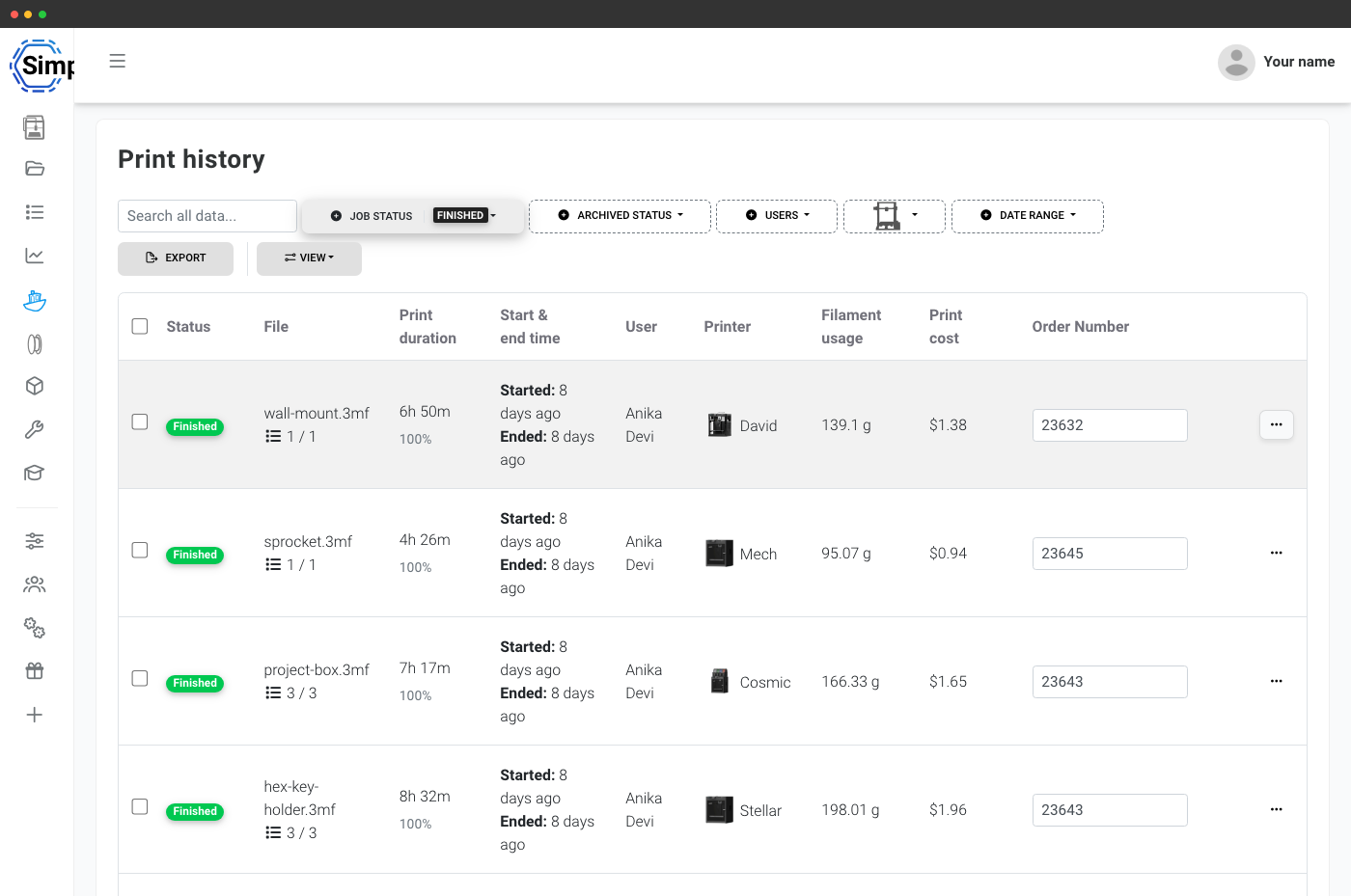
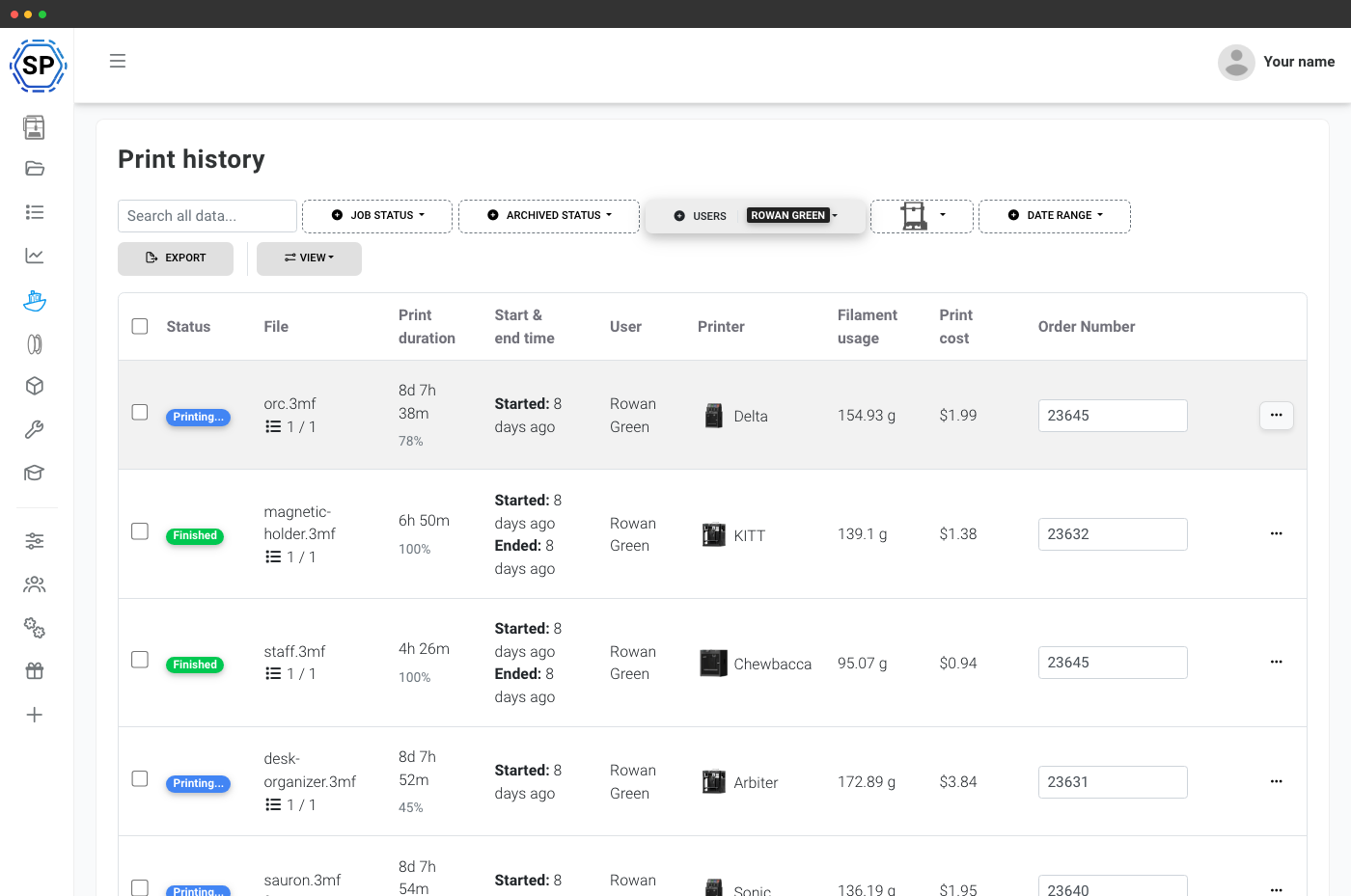
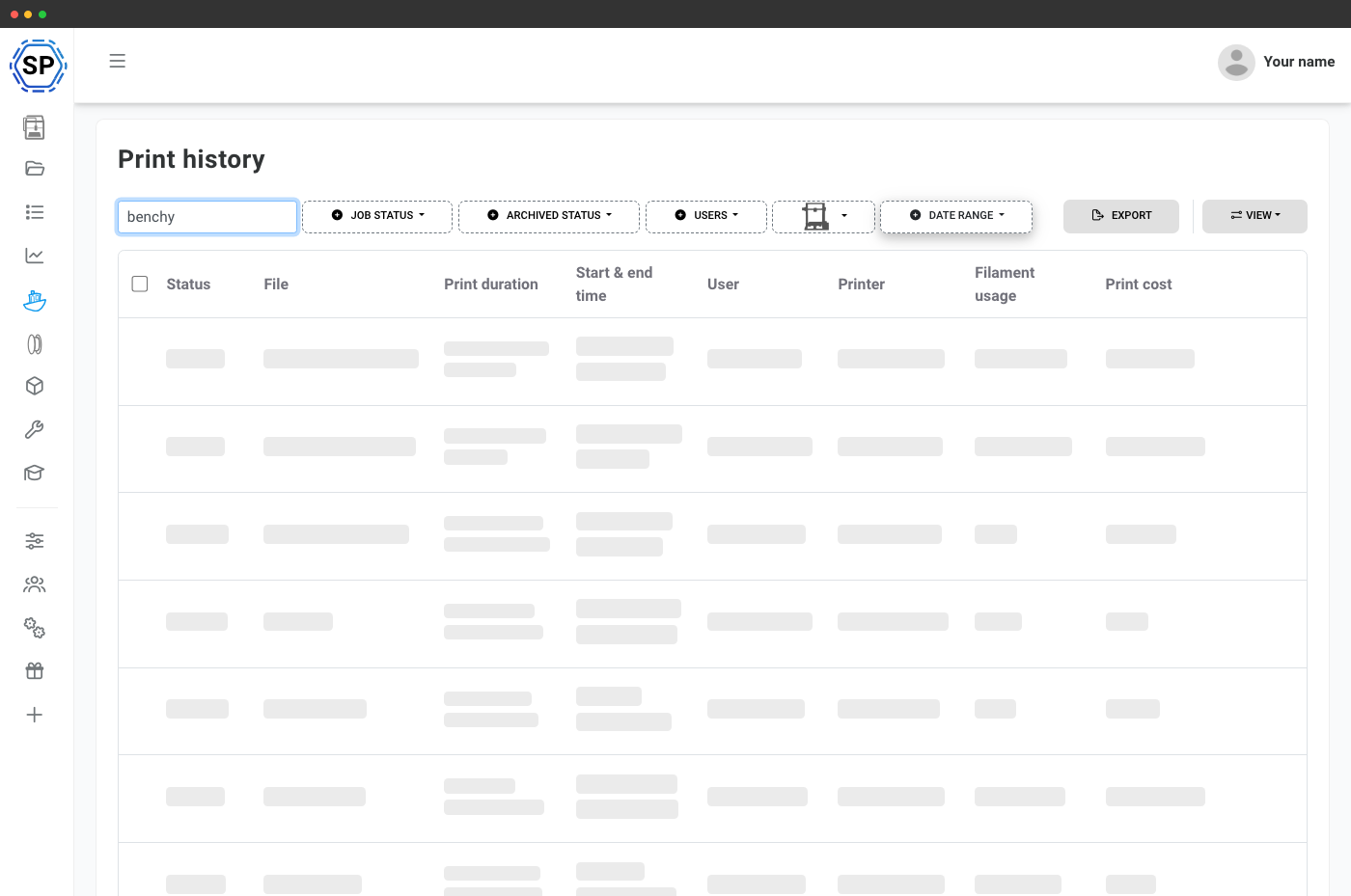
Filtrér din historik, som du har brug for. Kombinér status, arkivstatus, bruger, printer, datointerval og filnavnssøgning for at finde ethvert job på få sekunder, uanset om du gennemgår gårsdagens fejl eller henter seks måneders aktivitet til en kvartalsrapport.
Statusfilter
Færdig, annulleret, mislykket eller i gang.
Brugerfilter
Administratorer kan filtrere efter, hvem der har indsendt eller startet jobbet.
Datointerval
Vælg en datoperiode for at afgrænse til et kvartal, en uge eller en anden periode.
Filnavnesøgning
Skriv en vilkårlig del af et filnavn for at finde alle job for den del.
Hvert job har sin egen side med alt, hvad der skete
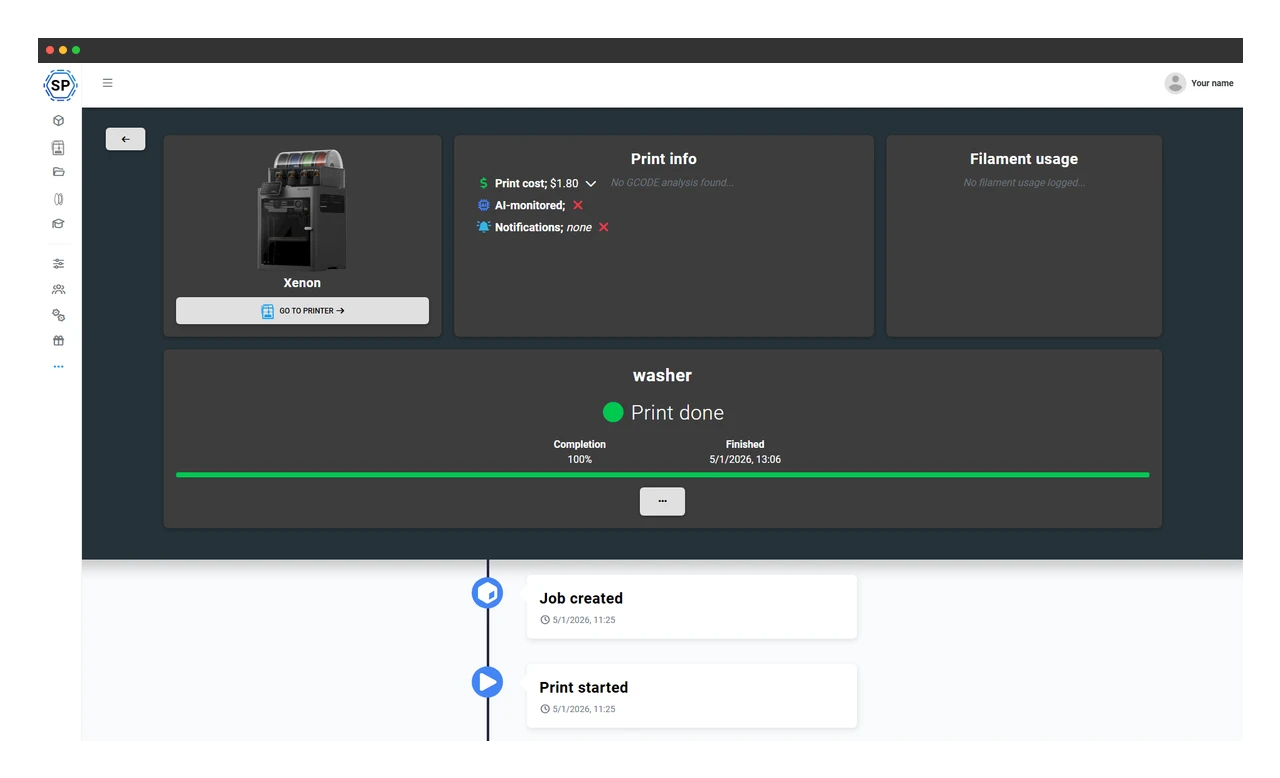
Klik ind på et job, og du får en fuld rapport. Header med statusmærke, printerlink og bruger. Printinfoboks med dyse, temperatur, laghøjde, infill, slicernavn og alle brugerdefinerede felter, du har defineret. Materialefordeling pr. spole. Handlingsknapper til at printe igen, arkivere, downloade kildefilen eller springe direkte til filen. Og en liveopdateret tidslinje, du kan rulle gennem, nederst.
En komplet tidslinje over alle printhændelser
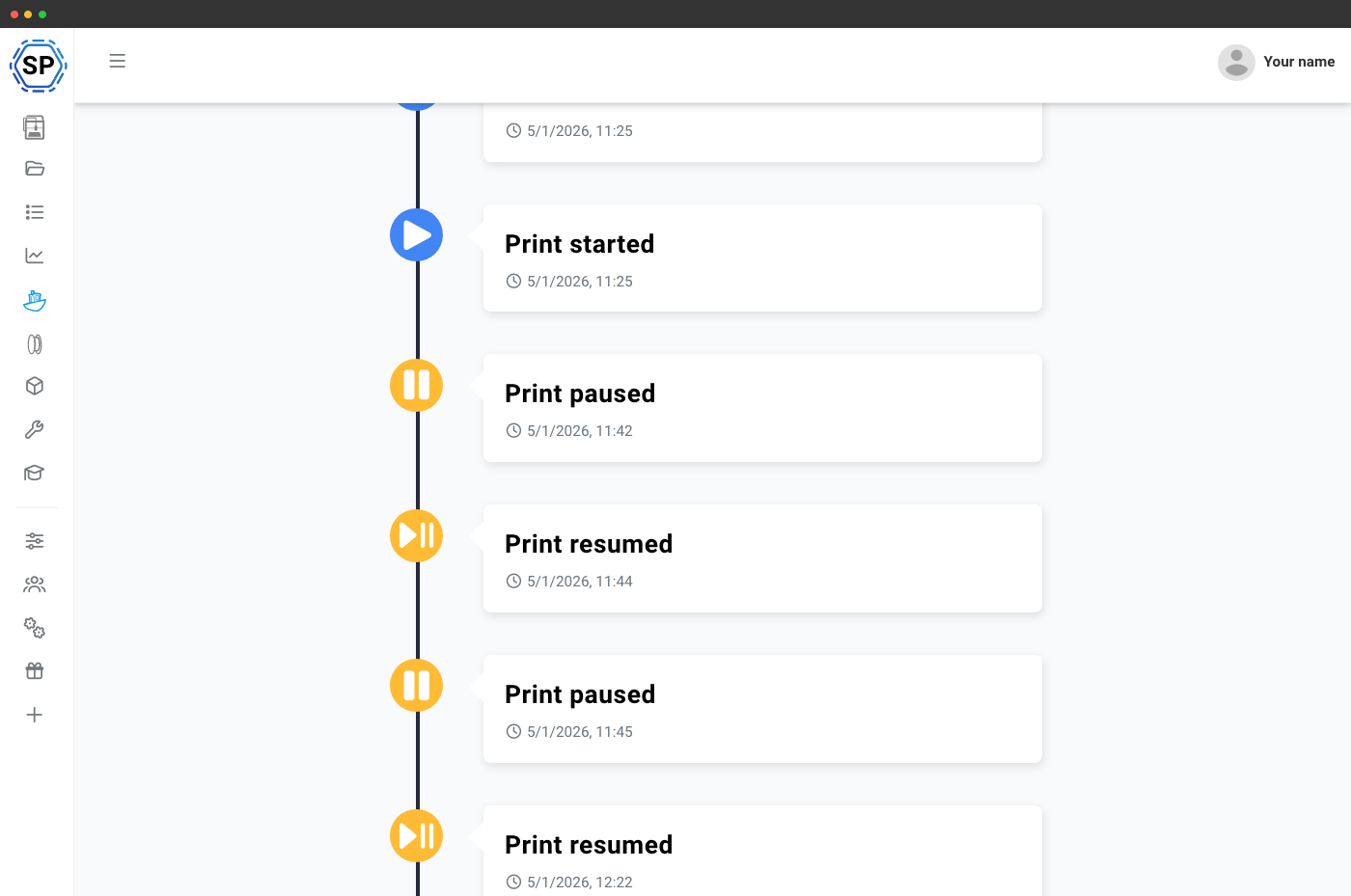
Hvert printjob genskabes som et kronologisk feed: print startet, sat på pause, genoptaget, filamentskift midt i printet, bedcheck fra AI, færdig, fejlet eller annulleret. Mens et print stadig kører, streamer tidslinjen live fra printeren, så du kan følge fremskridtet begivenhed for begivenhed uden at forlade siden.
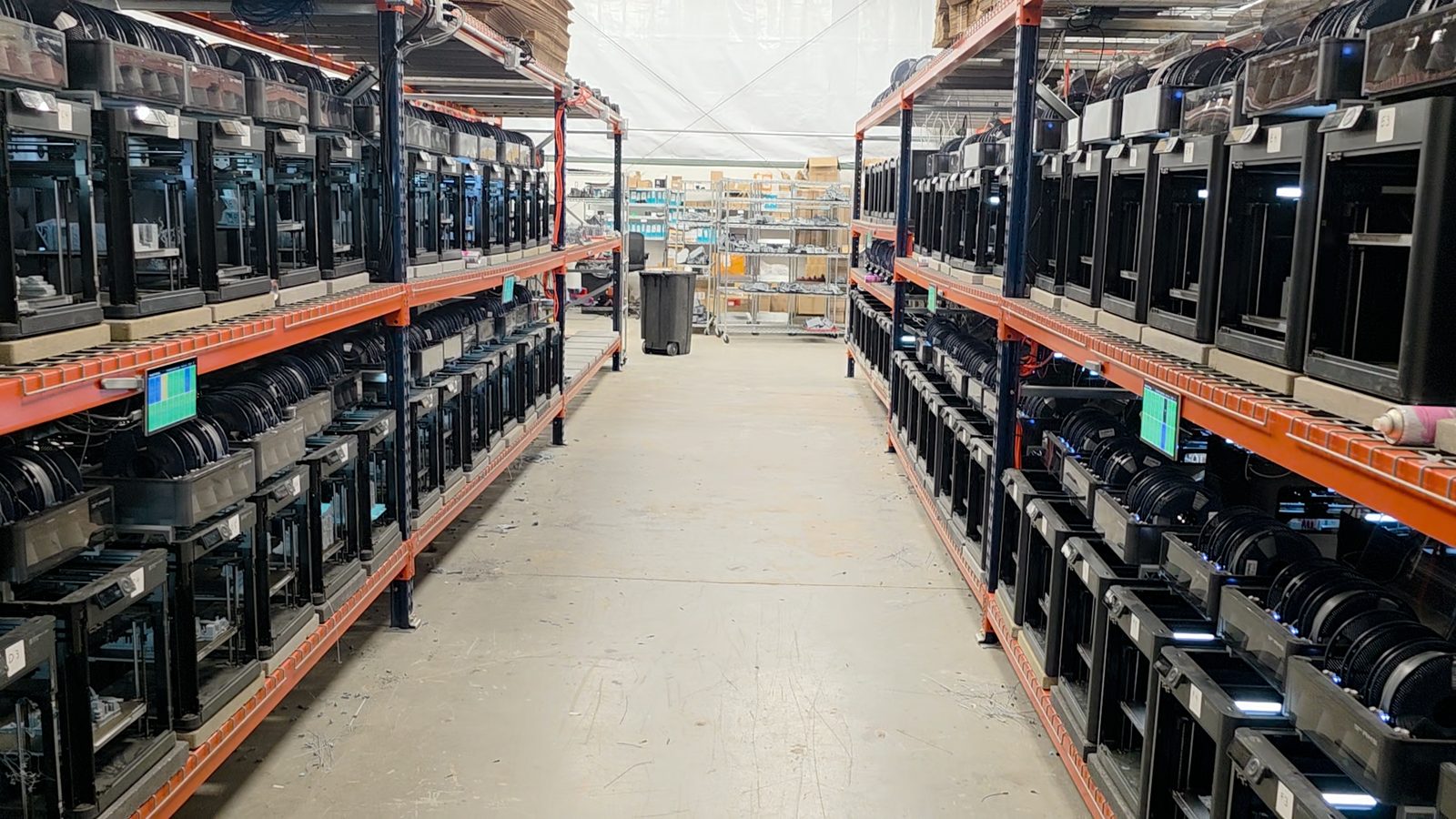
Se, hvordan Tabletop Terrain bruger Jobhistorik til at styre 150+ printers (Bambu Lab P1 + H2C)
I used to get nervous at 20 orders in progress. Now we regularly are sitting between like 200 and 300.
Når et print fejler, kan du se hvorfor og rette registreringen
Fejlede print får en rød statuspille og en annulleringsårsag. Bruger du AI-fejldetektion, viser tidslinjen præcis det øjeblik, hvor AI'en markerede spaghetti, warping eller blobbing, inklusive den konfidensscore, der udløste handlingen. Fik den det forkert? Ret fejlårsagen på jobsiden, så din statistik forbliver ren.
Læs mere om AI-fejldetektion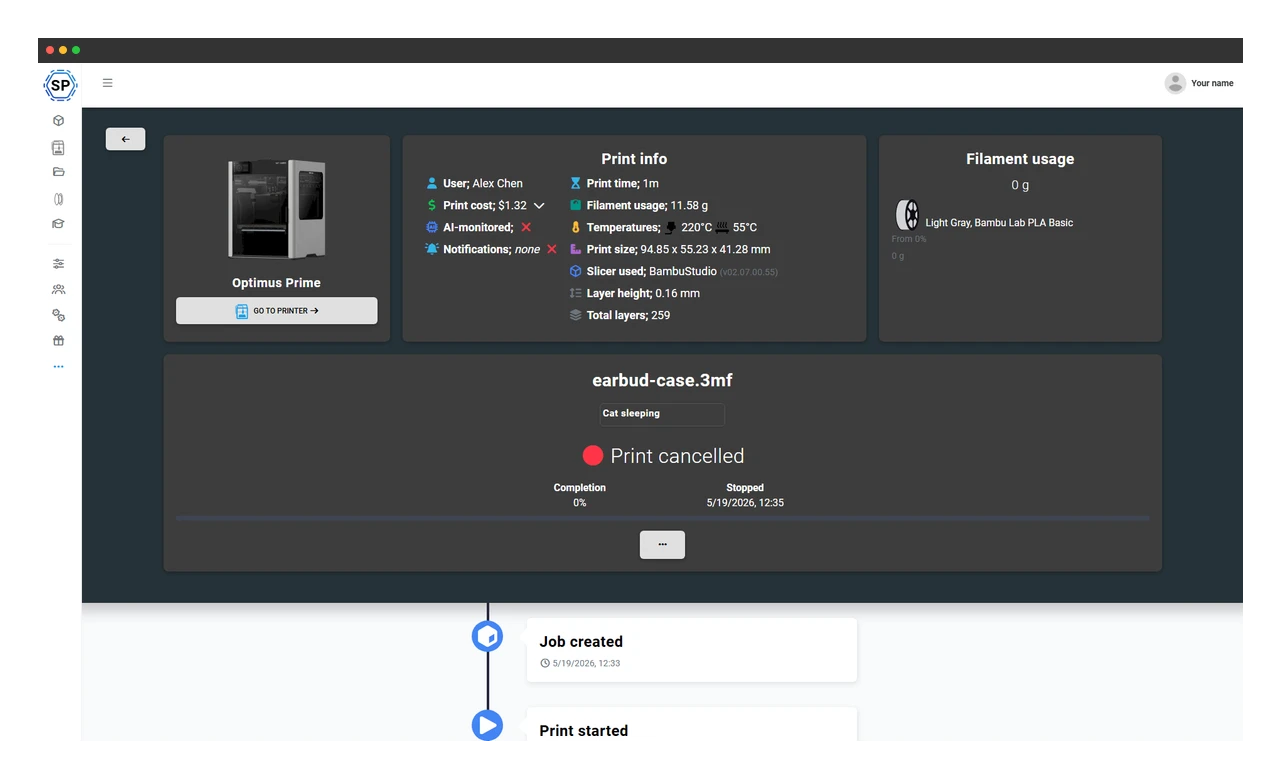
Filamentforbrug og -omkostning, registreret automatisk pr. job
Hvert job registrerer de præcise spoler, der blev brugt (pr. extruder), det forbrugte antal gram og meter samt en omkostningsopdeling for materialer, strøm og arbejdsløn i din kontos valuta. Med den forbedrede prisberegning på Print Farm+ afspejler omkostningerne de faktiske spolepriser, elpriser og regler for arbejdsløn pr. printer, så du kan lave tilbud, fakturere eller bare se, hvad hvert print rent faktisk koster.
Brugerdefinerede felter på job: dine data, dine kolonner
Skal hvert print tagges med en projektkode, kundenavn, klasseværelse eller PO-nummer? Definer brugerdefinerede felter én gang, så vises de som kolonner i jobtabellen og som felter på jobdetaljesiden. Alt, du kan navngive, kan du spore.
Læs mere om brugerdefinerede felter
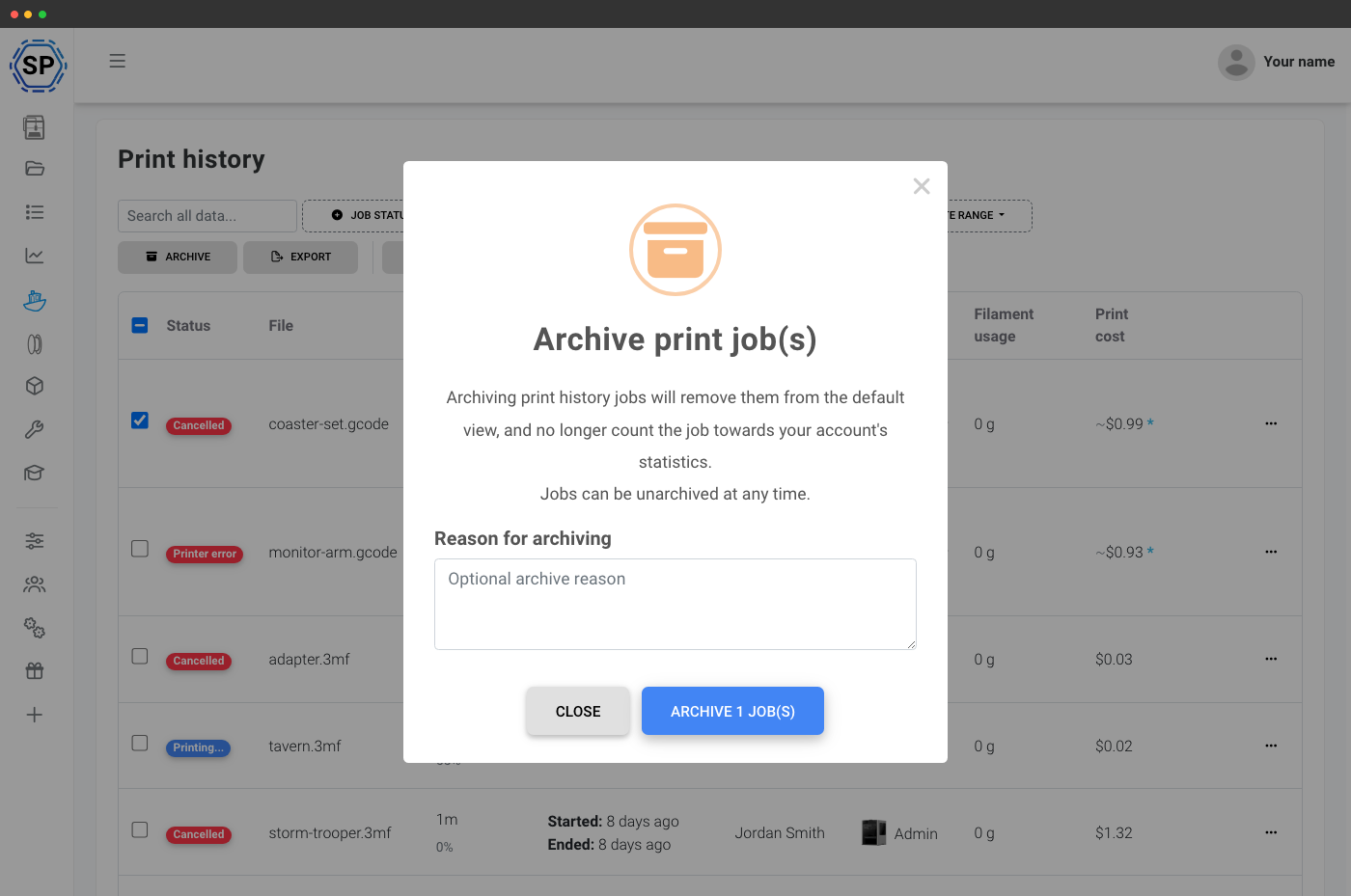
Arkiver gamle job for at holde listen ryddelig
Ældre jobs, du ikke behøver at se hver dag, kan arkiveres samlet direkte fra værktøjslinjen, de forbliver søgbare, forbundne og eksporterbare, men holder sig ude af din daglige oversigt. Slå arkivfilteret til for kun at vise arkiverede, kun aktive eller alt.
Til ISO 27001, GDPR artikel 30-fortegnelser over behandlingsaktiviteter og SOC2-revisionskrav er den fulde jobhistorik (med brugerattribuering, tidsstempler og materialeforbrug pr. spole) dit driftsmæssige papirspor, uden ekstra opsætning.
Printhistorik til vedligeholdelsesplanlægning
Jobhistorik og statistik danner grundlag for vedligeholdelsesplanlægningen. Hver printtime, hvert gram og hver annullering tæller med frem mod næste vedligeholdelse. De samme jobdata, der dokumenterer, at du printede Acmes ordre i tirsdags, bringer også tidspunktet for næste dyseskift et hak nærmere.
Se printervedligeholdelse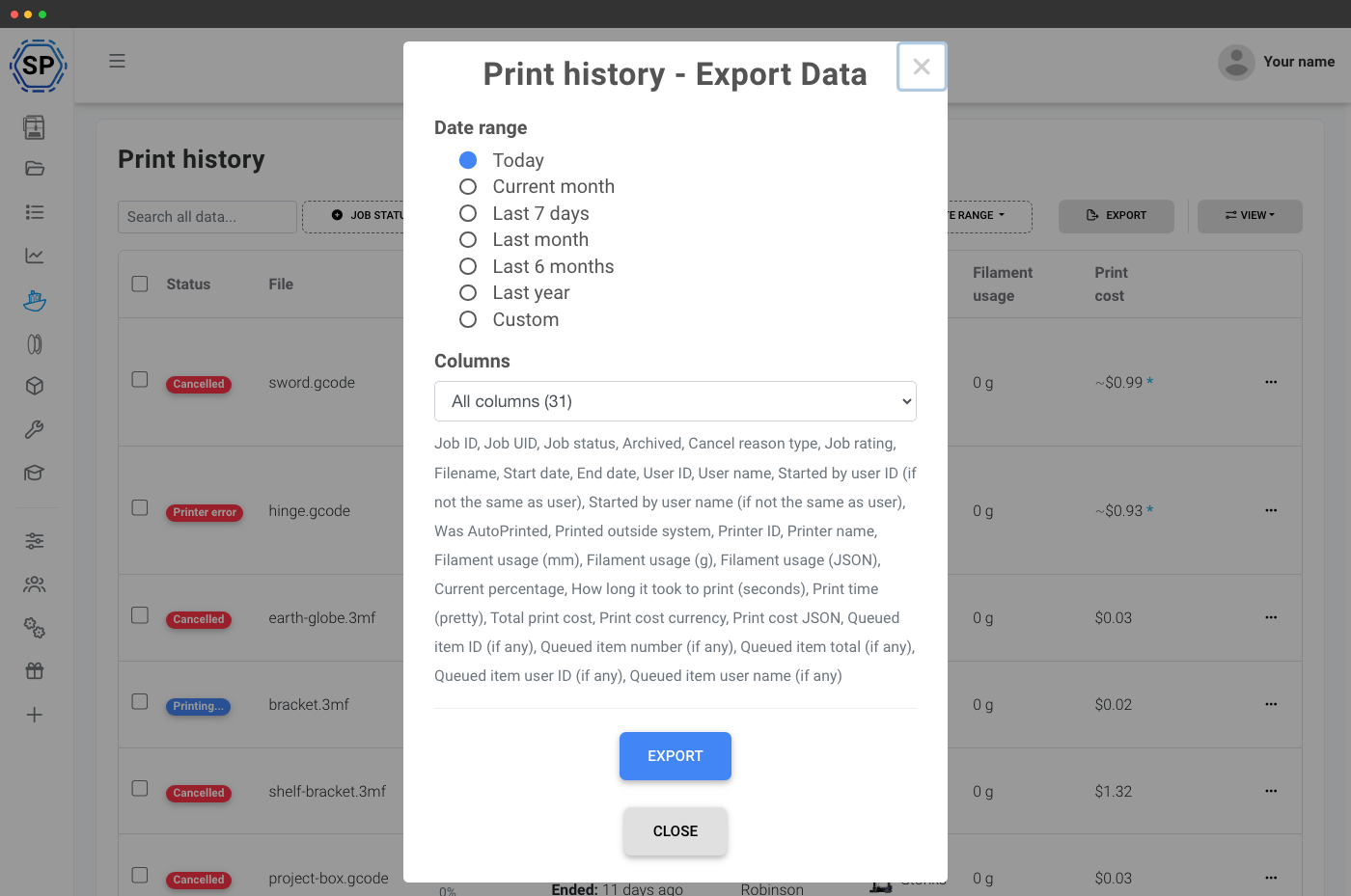
CSV-eksport til rapportering, revision og fakturering
Eksportér den filtrerede jobvisning som CSV med alle slicer-, filament-, omkostnings- og brugerdefinerede feltkolonner inkluderet. Brug den til månedlig fakturering, ISO-revisionsspor, karaktergivning i klassen, eller bare for at hente data ind i et regneark din revisor kan lide. Eksporten respekterer de filtre, du har anvendt.
Til skoler: hvem printede hvad, hvornår og hvorfor
På en skolekonto er printhistorikken det kontrolspor, som ethvert 3D-printprogram i klasseværelset har brug for. Filtrér efter elev for at se præcis, hvad de har printet i dette semester, efter datointerval for at finde en enkelt lektion eller efter status for at finde de print, der fejlede, og hvorfor. Kombinér brugerfilteret med brugerdefinerede felter (projektkode, opgavenavn, lektion) for at bedømme elevarbejde, fastslå, hvem der er ansvarlig for et spildt print, eller vise en forælder det arbejde, deres barn har lavet. Hele tabellen kan eksporteres til CSV, så den passer direkte ind i skolens rapporteringsværktøjer.
Mere til skoler og uddannelse
Genprint eller download igen med ét klik
Hver række har en genprintfunktion, der åbner printervælgeren, så du kan køre den samme fil igen på en kompatibel printer. Den originale fil forbliver også tilknyttet jobbet, så du kan downloade den igen fra rækken eller jobbets detaljeside uden at lede efter sidste uges del i dine filer.
Abonnementsadgang: hvad er inkluderet i printhistorikken?
Alle planer bevarer den fulde visning af printhistorikken, men hver plan har en grænse for, hvor mange tidligere printjob du kan gennemse og eksportere. Synlighed på tværs af hele kontoen, CSV-eksport, brugerdefinerede felter, massearkivering og forbedret omkostningsberegning låses op med Print Farm-planen og højere planer. AI-hændelser i tidslinjen kræver, at AI-fejldetektion er aktiv.
| Funktion/grænse | Gratis | Basic | Pro | Printfarm | Enterprise | Skole | Cloud Slicer | Filament Manager |
|---|---|---|---|---|---|---|---|---|
|
Printjob gemt i historikken
Hvor mange tidligere print der fortsat kan gennemses og eksporteres. Print Farm-, School- og Enterprise-planerne gemmer alle job for altid.
|
50 | 100 | 500 | 50 | 50 | |||
|
Historikvisning på tværs af organisationen
Administratorer ser alle teammedlemmers prints med en brugerfilterkolonne. Enkeltkonti ser altid kun deres egen historik.
|
||||||||
|
CSV-eksport af jobtabellen
Download den filtrerede jobvisning som CSV med alle kolonner for slicer, filament, omkostninger og brugerdefinerede felter.
|
||||||||
|
Brugerdefinerede felter på printjob
Tilføj dine egne kolonner og felter, projektkode, kunde, klasseværelse, PO-nummer, hvad som helst.
|
||||||||
|
Massearkivering og fjernelse fra arkiv
Skjul ældre job på én gang fra standardvisningen, men behold dem søgbare og eksporterbare.
|
||||||||
|
Forbedret omkostningsberegning
Pris pr. job afspejler faktiske spolepriser, elpriser og regler for arbejdsomkostninger pr. printer.
|
||||||||
|
AI-hændelser i tidslinjen
Registreringer af spaghetti, warping og blobbing vises som tidslinjehændelser med konfidensscorer.
|
Vil du vide mere om vores abonnementer?
Se fuld pris- og funktionssammenligning