
The most underrated feature in print-farm operations
Talk to anyone running a real print farm and they'll tell you: utilization isn't bottlenecked by your printers, it's bottlenecked by your attention. The faster you know a print finished, the faster the next one starts. SimplyPrint turns every print event into a push - so you can click the notification, see "5 printers ready for the next job", and clear the queue in 30 seconds instead of 30 minutes.

Email alerts to anyone - yourself, your team, your customer
Set one or many email addresses per event. Yours, a colleague's, the customer who ordered the print. Useful when you're print-on-demand and the customer wants the "your part is ready" mail the moment it comes off the bed - no manual updates required.
SMS to your phone for the events that really matter
Pick SMS as your preferred channel and SimplyPrint texts the events you've opted into - finished, failed, paused, filament runout. Useful as a fallback when you're away from your computer and don't have the mobile app installed, or as a high-priority alert path for production-critical prints.

Discord, Slack & Microsoft Teams via webhooks
Pipe print events straight into your team's Discord channel, Slack workspace or Microsoft Teams channel with native message formatting - thumbnails, status colors, the works. Great for shared makerspaces, classrooms and print farms where everyone needs the same visibility.
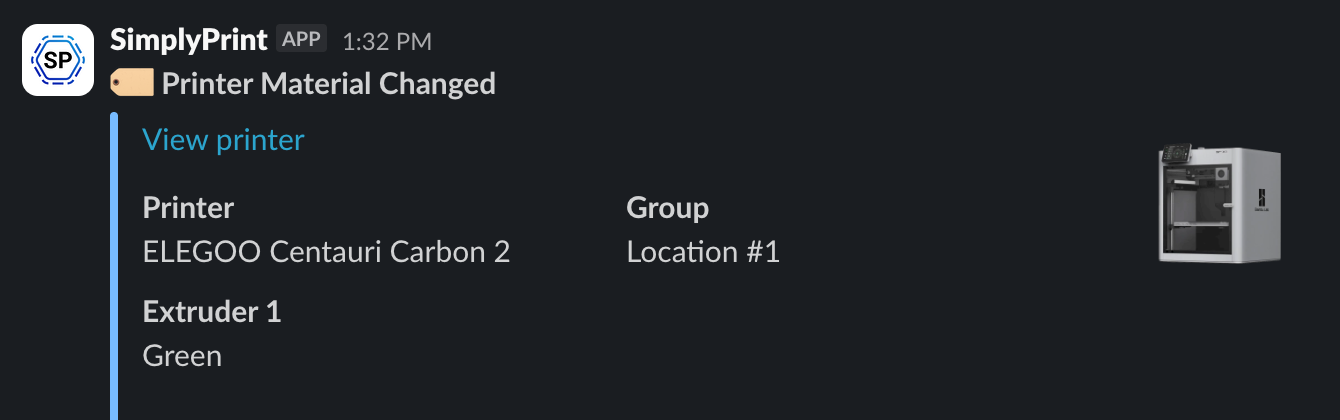
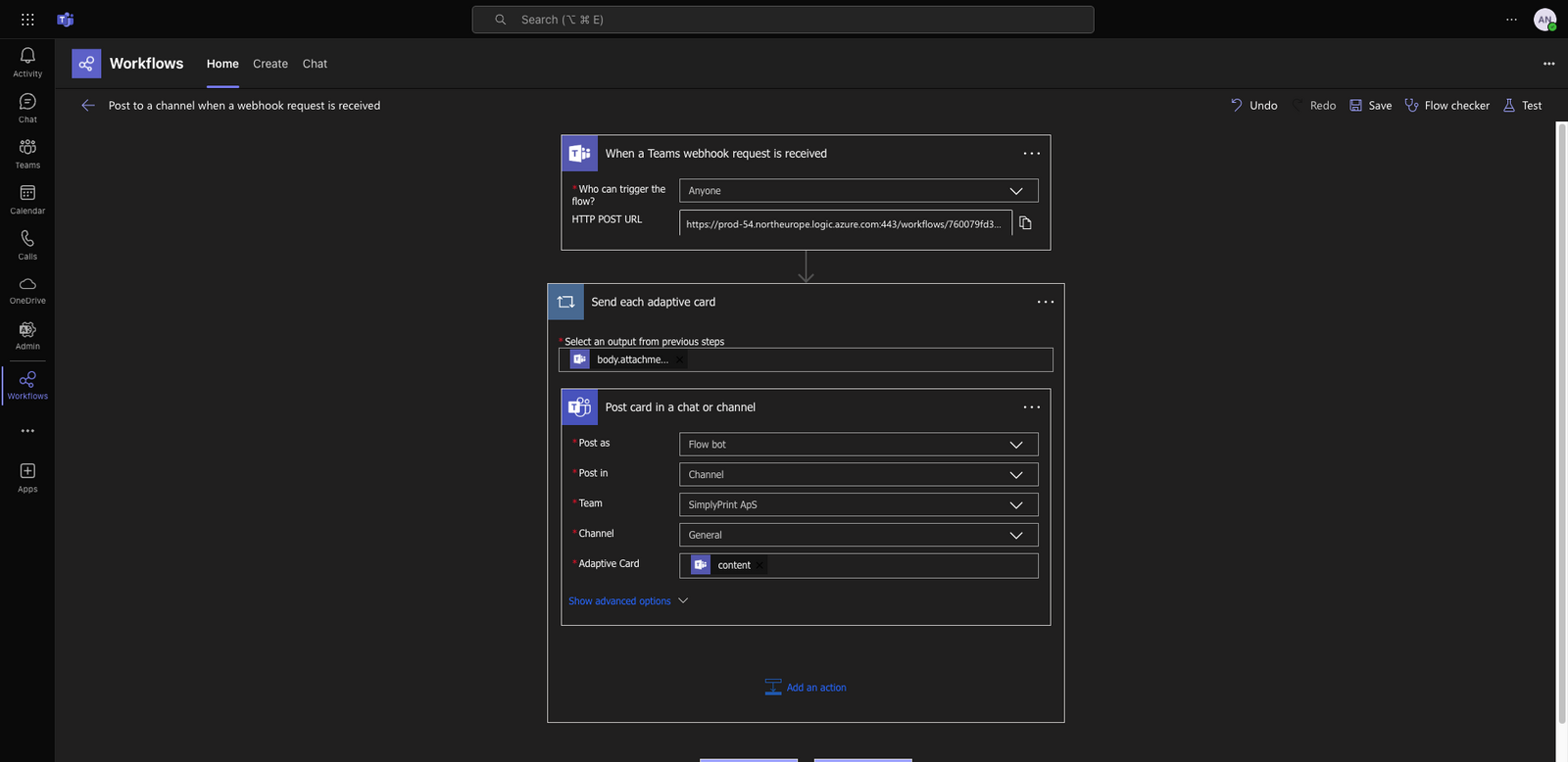
Discord renders as a rich card with the printer thumbnail and status colour, Slack as a clean message attachment, Teams as an adaptive card - each channel gets the format it does best.
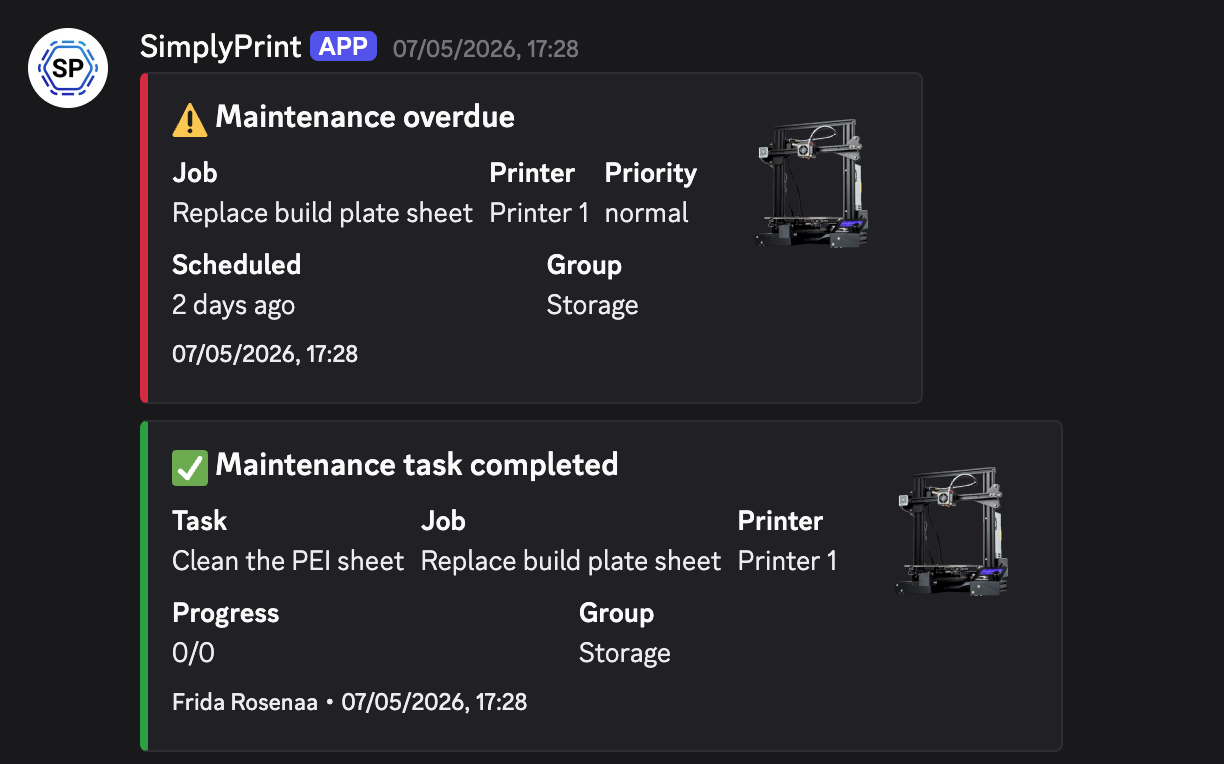
Discord card
Print thumbnail, status colour, jump-to-printer link.
Slack message
Attachment with status colour, fields and printer link.
Microsoft Teams card
Adaptive card with status, action buttons, deep link.
Filter notifications by printer, group or custom tag
Multi-team farms can route a printer's notifications to that team's Slack channel without spamming the whole org. Pick a single printer, a printer group, or a custom tag, then point that filter at the channel that should hear about it. Engineering's printers ping #engineering, prototyping's ping #prototyping, the marketing prop printer pings #marketing - same SimplyPrint, three quiet Slack channels.
Push notifications on iPhone & Android the second a print finishes
Install the SimplyPrint mobile app and every print event becomes a push on your phone. Click any event to see exactly what the notification looks like. Get the SimplyPrint app →

SimplyPrint ⚫ Now
Print finished on Printer 1
Took 2h 32m - ready to clear the bed and queue the next.

SimplyPrint ⚫ Now
Print failed on Printer 2
Printer reported a fault at layer 412. Tap to inspect.
SimplyPrint ⚫ Now
Print paused on Printer 3
Filament runout detected. Load a new spool to resume.
SimplyPrint ⚫ Now
Print started on Printer 1
Estimated print time is 3d 4h.
SimplyPrint ⚫ Now
Approval needed: chess_piece.gcode
Submitted by Sarah - approve or send back for revision.
SimplyPrint ⚫ Now
Failure detected on Printer 2!
Want to pause or cancel?

Print finished
The job came off the bed clean. Time to clear it and queue the next.
Print failed
Printer-reported failure or AI failure-detection trigger - go look.
Print paused
Filament runout, M0/M601 stop, user pause - know who hit pause and why.
Print started
Optional. Useful for scheduled overnight prints (confirms the staggered start actually happened) and for QA teams that need to know exactly when a billable print began.
Queue approval needed
A student or operator submitted a job that needs review before it prints.
AI failure detected
The AI flagged spaghetti, layer shift or detachment - confirm or dismiss.
Per-event, per-channel control - no notification overload
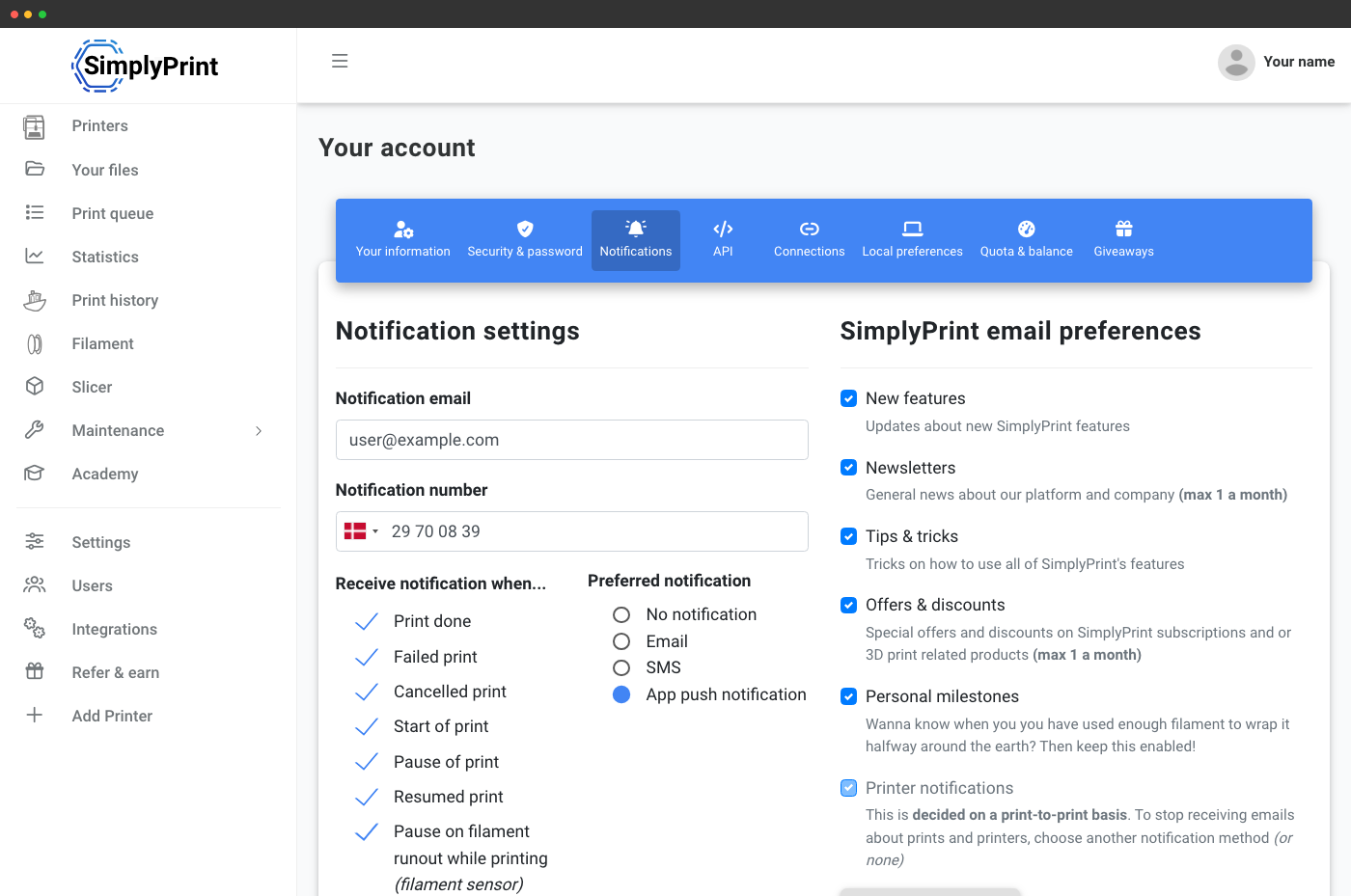
Pick exactly which events go where. Push to phone for print-finished and AI-failure, email only for queue-approval, Discord for everything. Mute the ones that don't matter to you without affecting the rest of your team. The configuration lives under your user profile, so every team member gets their own preference.
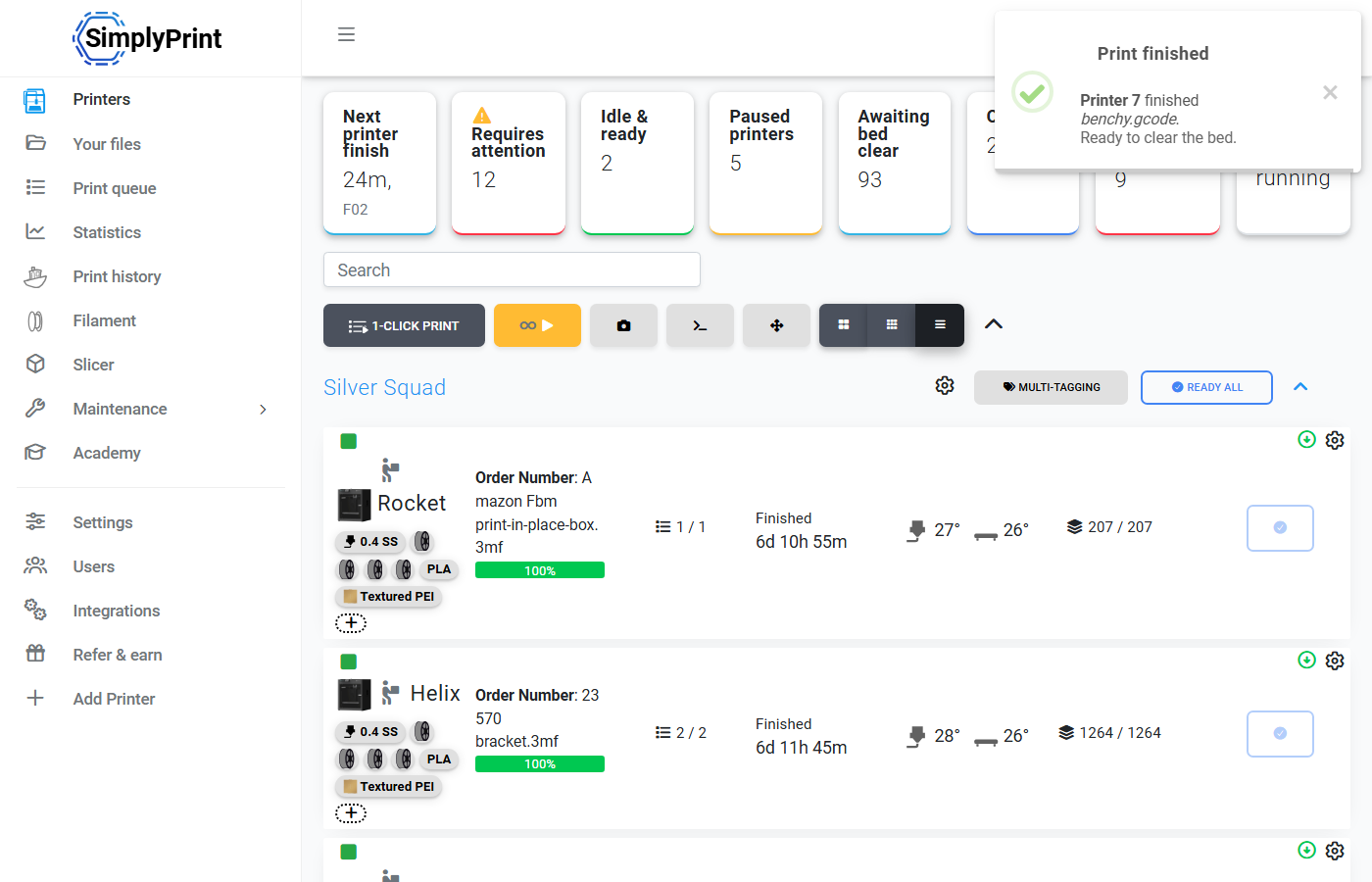
How farms turn notifications into 24/7 utilization
Notification arrives → you click it → you land on the printer → the queue inspector shows the next compatible job → one click and you're printing again. Multiply that by every printer in a farm and the difference between "notifications on" and "notifications off" is days of unused machine time per month. Pair notifications with smart routing and the queue picks the next job for you - you just clear the bed.
See how smart routing picks the next job